

Follow up on Received Quantity within PO
بواسطة Khadija Ahmedتاريخ النشر 18 يناير 2024آخر تحديث 18 يناير 20241 دقائق قراءة
هذه المقالة غير متوفرة بالعربية بعد. يتم عرض النسخة الإنجليزية.
To monitor the received quantity in a specific purchase order, follow these steps :
-
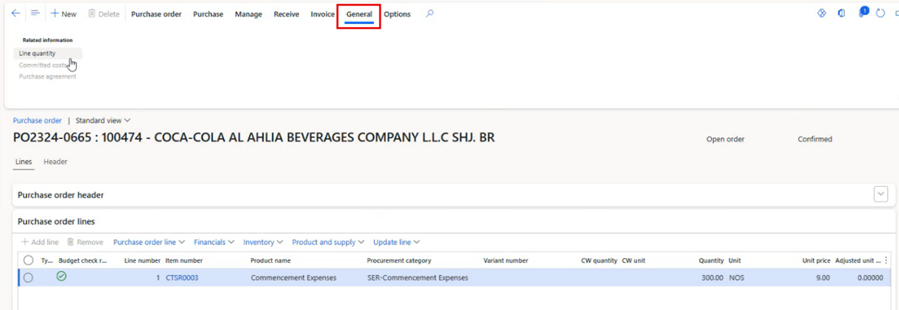
Follow the steps outlined in the previous article, then navigate to the “General” tab.
-
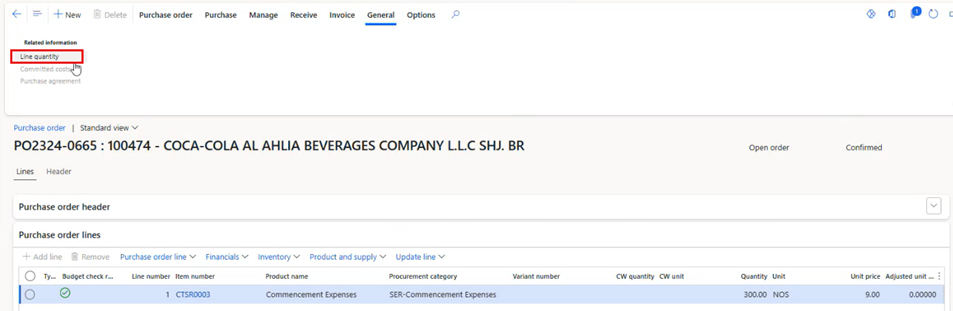
Click on “Line quantity”.
-
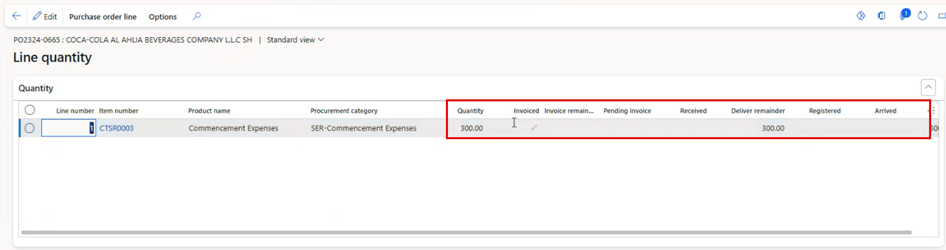
Here, you can review detailed quantity information, including Ordered Quantity, Deliver Remainder, Arrived, Invoiced, etc.
هل كانت هذه المقالة مفيدة؟
مقالات ذات صلة
Finance and Procurement Process
المصدر الأصلي: https://it.ajman.ac.ae/docs/follow-up-on-received-quantity-within-po