

View Shared Views
By Khadija AhmedPublished 12 Sept 2025Updated 12 Sept 20251 min read
To view shared views, please follow the below steps:
-
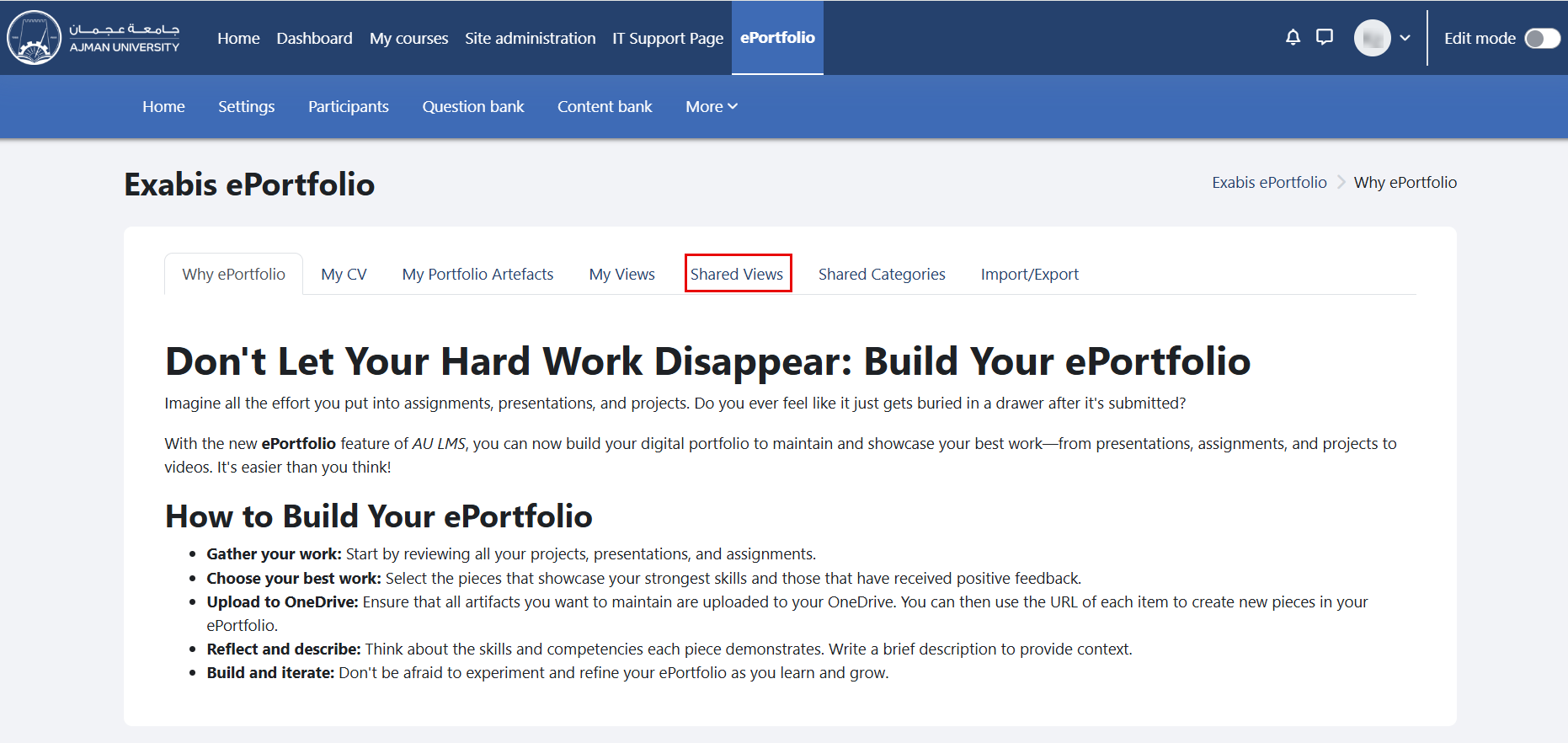
In the ePortfolio page, click on the tab "Shared Views".
-
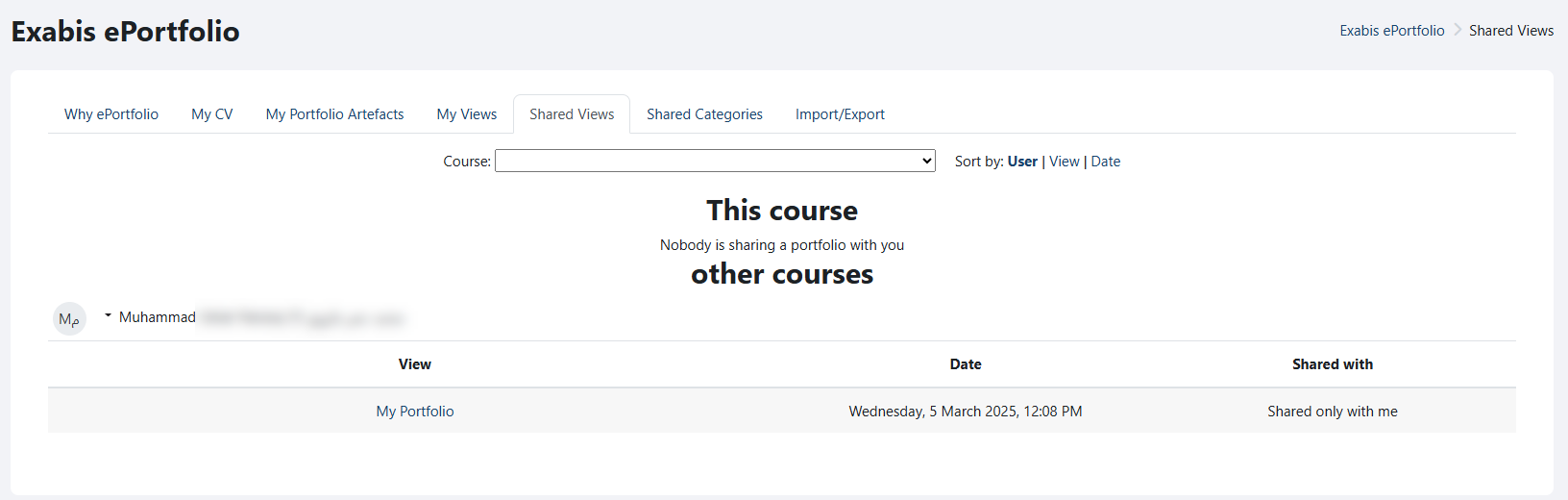
Views will appear here if other portfolio users have shared them with you. Views shared by users from other courses will also be shown, as illustrated below.
Was this article helpful?
Related articles
Exabis ePortfolio
Original source: https://it.ajman.ac.ae/docs/view-shared-views