

Change a View's Layout
By Khadija AhmedPublished 12 Sept 2025Updated 12 Sept 20251 min read
You can change the layout of your display of a view, by following the steps below:
-
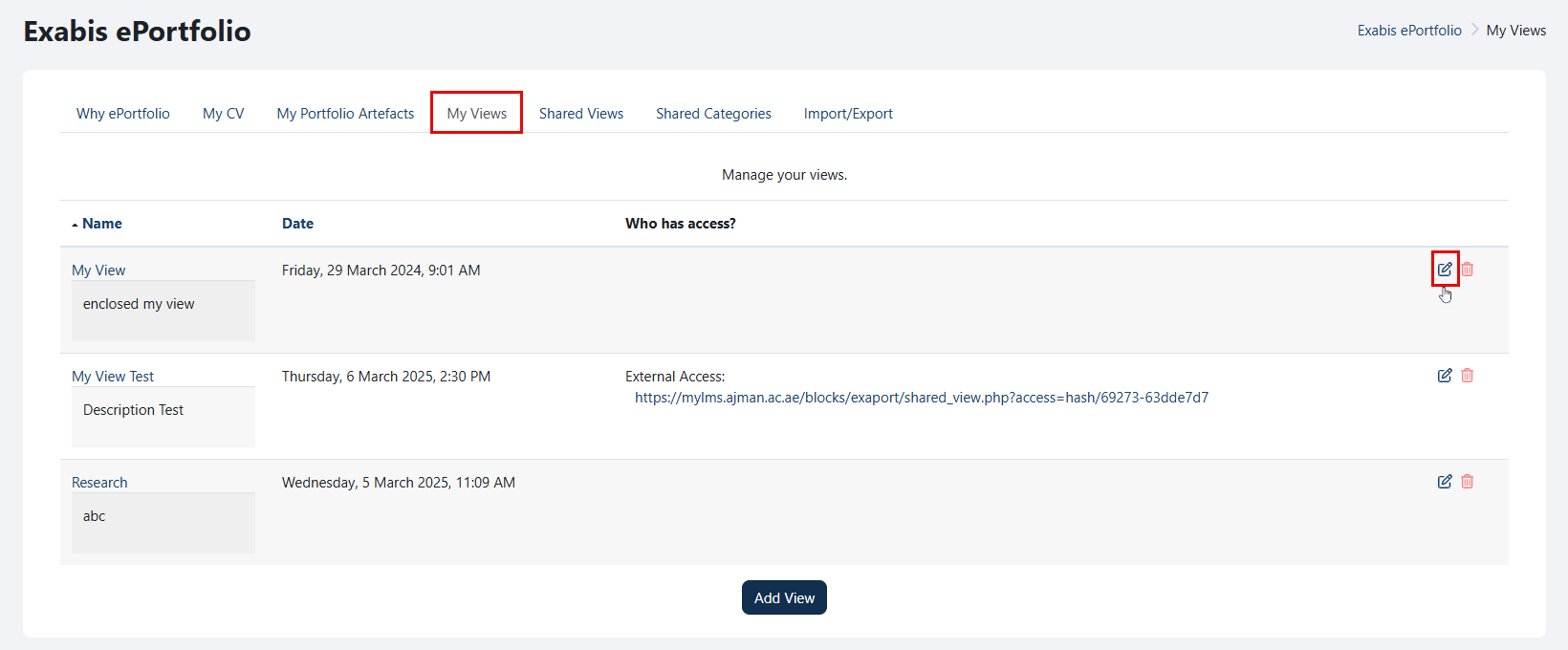
Go to "My Views" and click on the "Edit" icon.
-
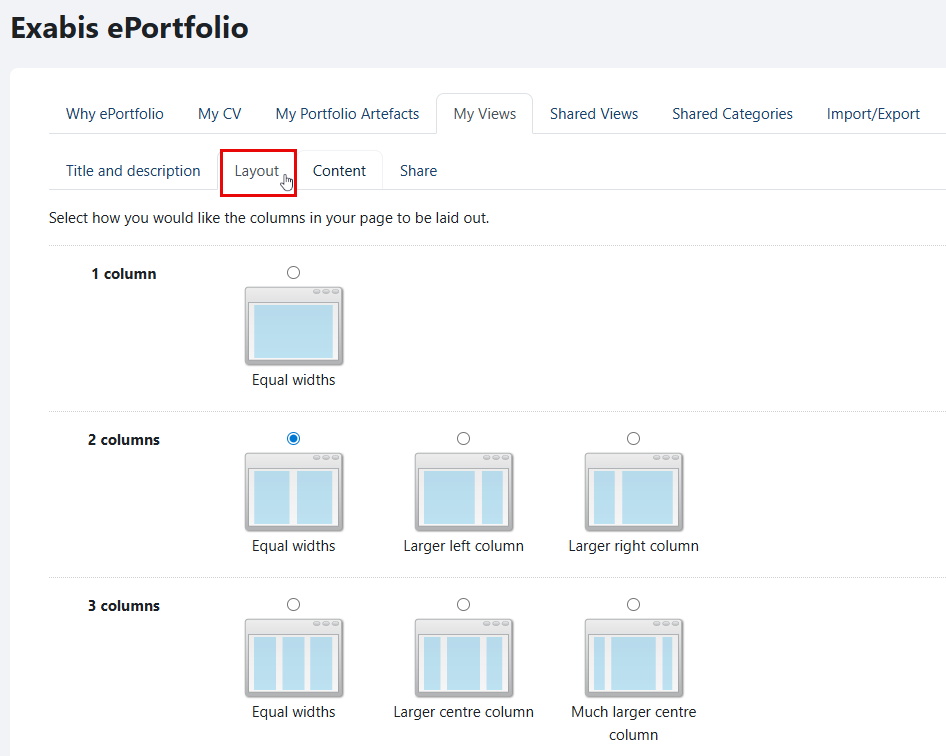
Navigate to the "Layout" tab.
-
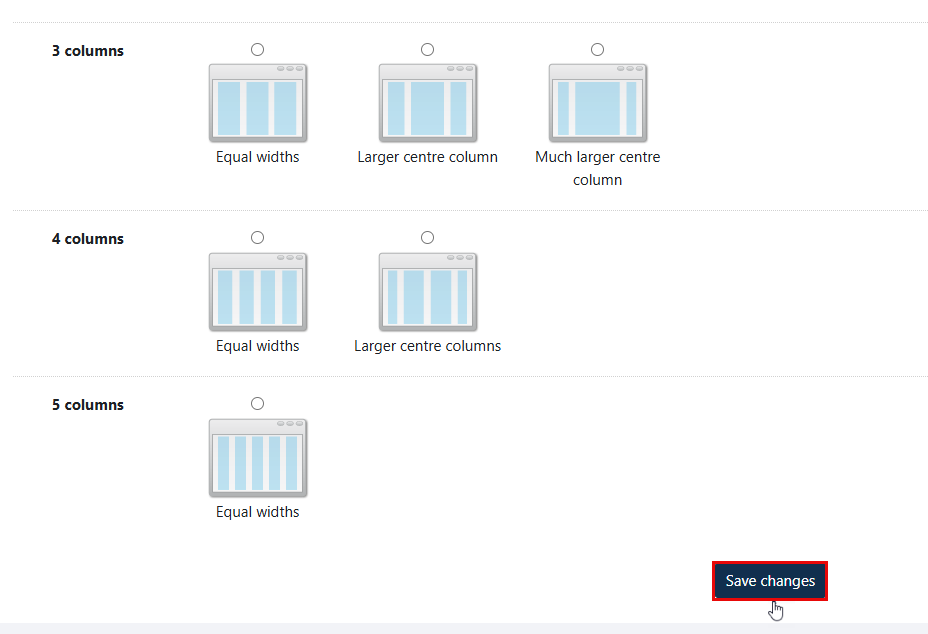
Select how you want the columns to be displayed on your page, and then click on the "Save changes" button once you are done.
Was this article helpful?
Related articles
Exabis ePortfolio
Original source: https://it.ajman.ac.ae/docs/change-a-views-layout