

Create Category
By Khadija AhmedPublished 12 Sept 2025Updated 12 Sept 20251 min read
You have the option to establish categories for your artefacts, allowing you to group and organize your files into your portfolio.
To create categories, please follow the steps below:
-
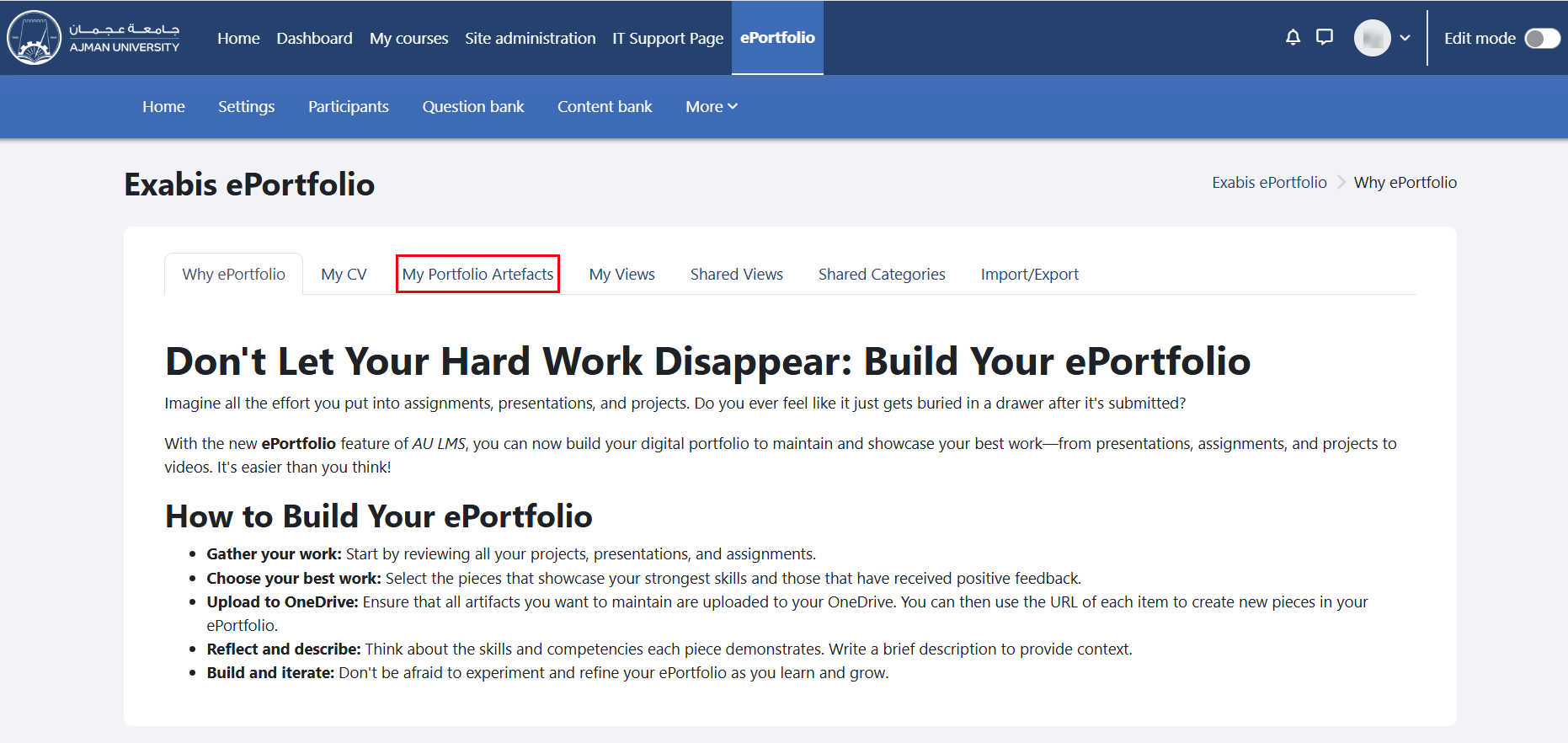
In the ePortfolio page, click on the tab "My Portfolio Artifacts".
-
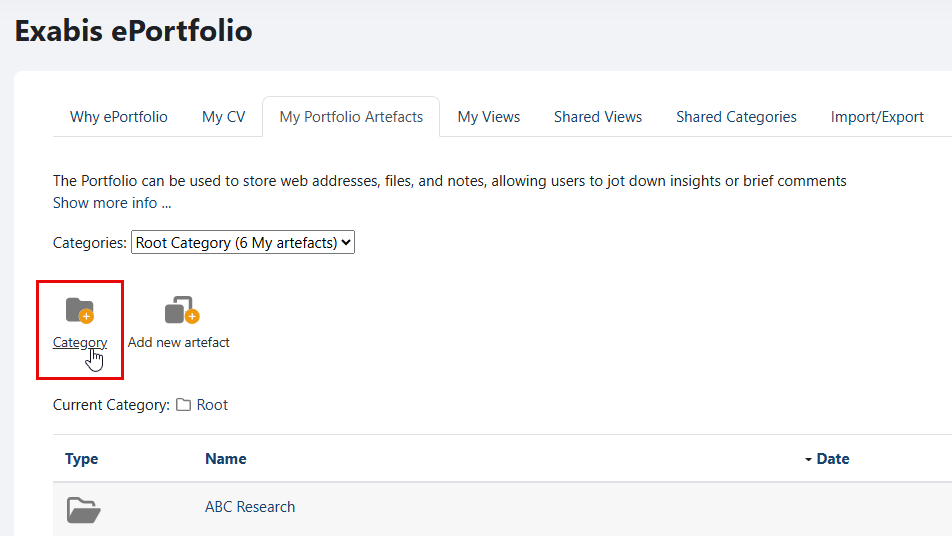
Select "Category" to add a new category to your portfolio.
-
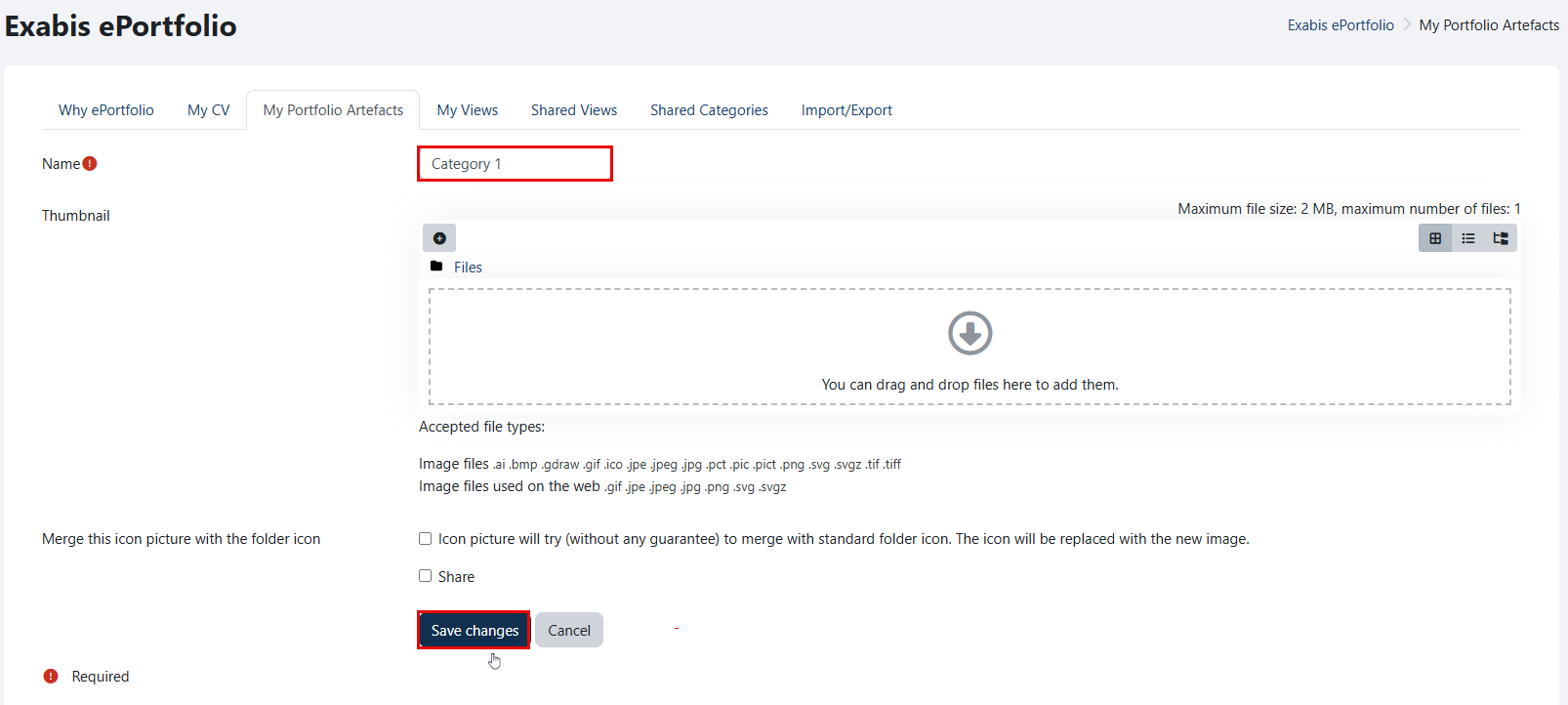
Write a category name, and then click on the "Save changes" button.
-
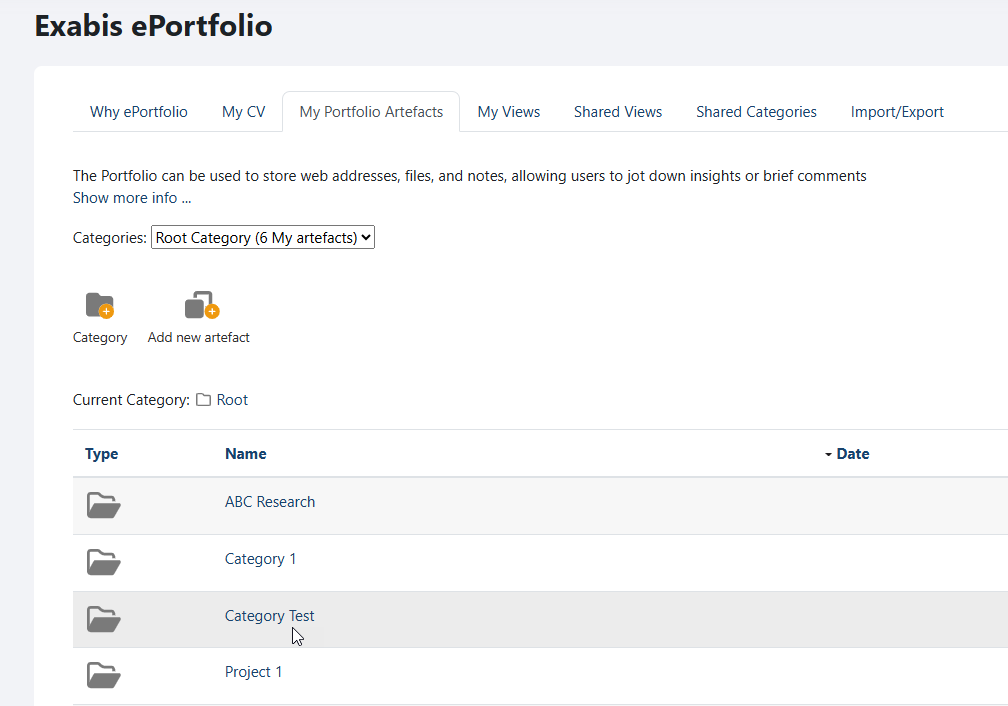
The created category will be added to your portfolio.
Was this article helpful?
Related articles
Exabis ePortfolio
Original source: https://it.ajman.ac.ae/docs/create-category