

Share your View
By Khadija AhmedPublished 12 Sept 2025Updated 12 Sept 20251 min read
Views can be shared either internally with other users, externally via an automatically generated link or by email. To start sharing your view, follow the steps below:
-
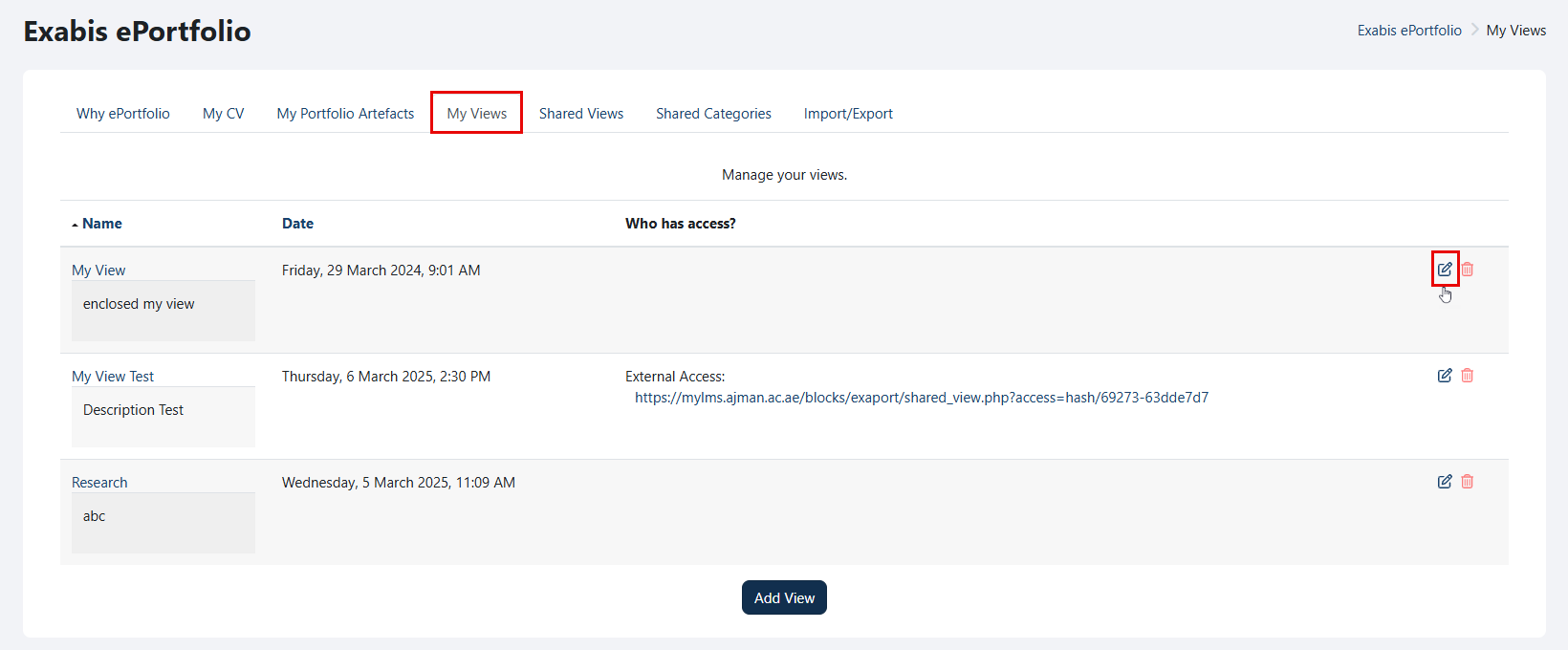
Go to "My Views", and click on the "Edit" icon.
-
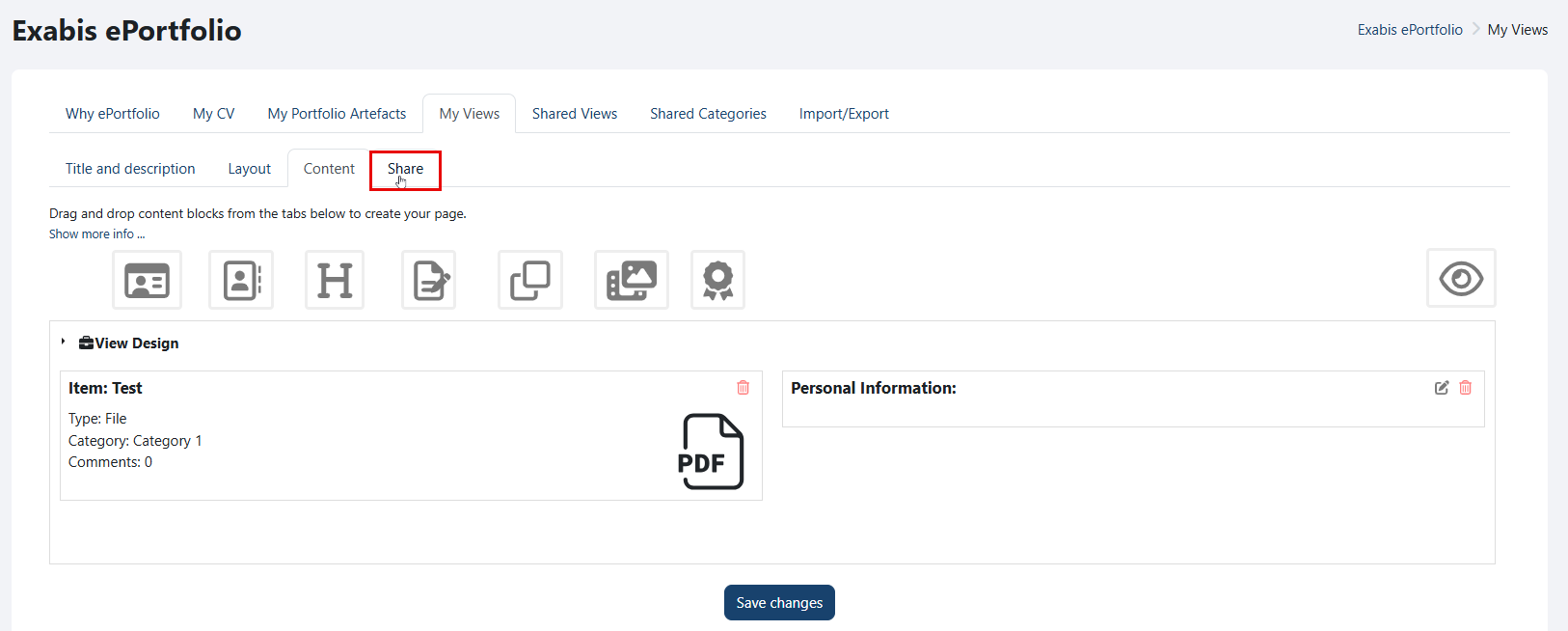
Navigate to the "Share" tab.
-
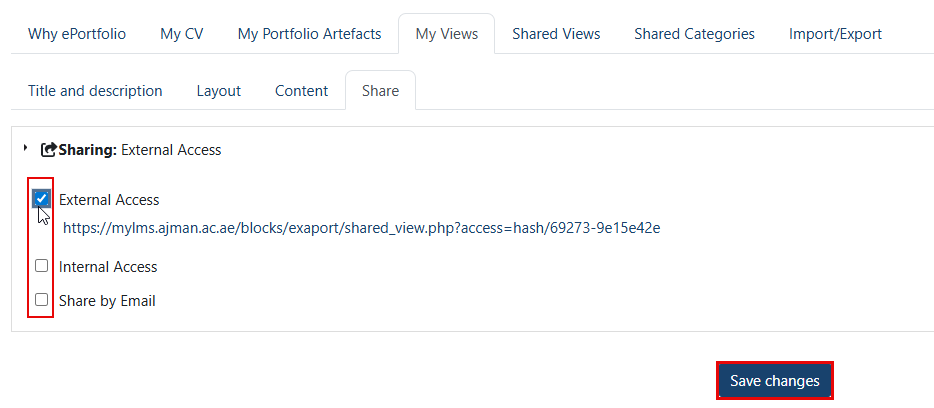
Select the sharing method you wish to enable.
Note:
If you select "External link", an automatically generated link will be provided, which you can share with others.
Was this article helpful?
Related articles
Exabis ePortfolio
Original source: https://it.ajman.ac.ae/docs/share-your-view