


View Your Student Account
By Khadija AhmedPublished 27 Jun 2021Updated 19 Nov 20241 min read
This feature provides you with different summaries for your payment history by following the below steps:
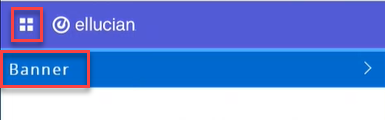
- Click on the menu located on the left, then click on Banner.
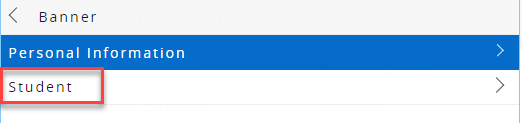
- Click on Student.
- Click on Student Account.
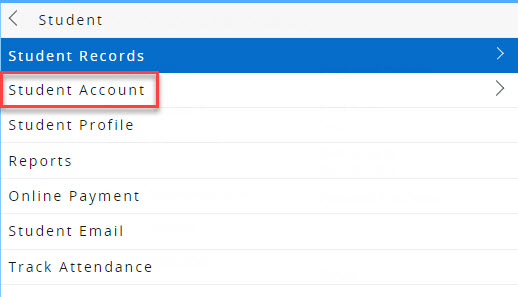
- Click on Account Information
This lists charges and credits on your account, beginning with the most recent.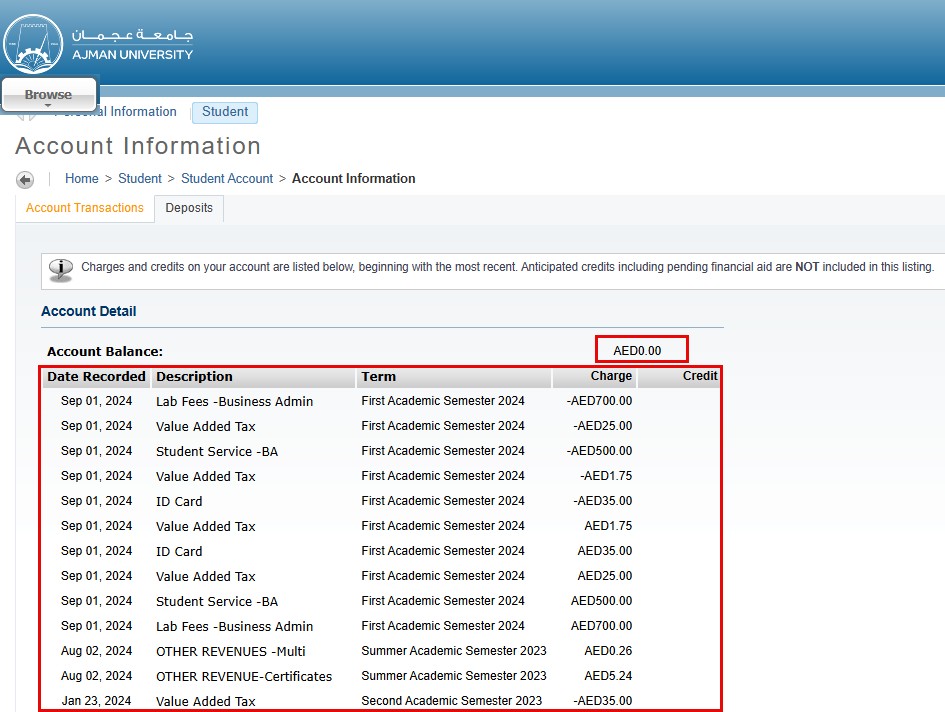
Note:
- The “Account Balance” represents the amount of money in your account. If the amount is positive (i.e.: AED 3000), then this is the amount that you have to pay. However, if the amount is negative (i.e.: AED -500), then this amount will be deducted from your future balance and you do not have to pay anything at the moment.- To export the account statement, navigate to your reports and click on Statement of Account. For more information about reports, please refer to this article.
Was this article helpful?
Related articles
Banner SIS
Original source: https://it.ajman.ac.ae/docs/view-your-student-account