


View Your Reports
Published 27 Jun 2021Updated 4 Aug 20211 min read
Watch our video tutorial about this topic below:
This feature allows you to view and download different reports including:
- Timetable
- Transcript (Unofficial)
- Registration Invoice (Tax invoice)
- Study Plan
- Exam Timetable
- Registration Invoice for All Terms
- View the amount due
You may access the reports by following the below steps:
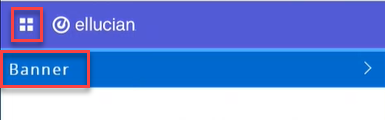
- Click on the menu located on the left, then click on Banner.
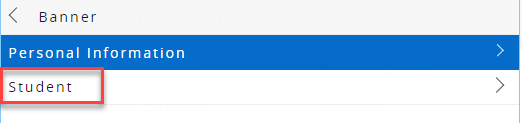
- Click on Student.
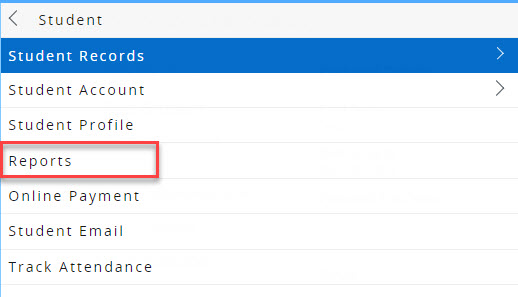
- Click on Reports.
Note:
If you have any holds, you might not be able to view some of the reports, as illustrated below: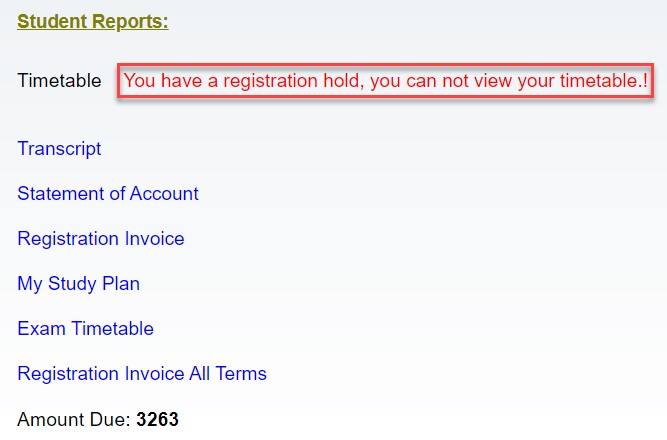
Was this article helpful?
Related articles
Banner SIS
Original source: https://it.ajman.ac.ae/docs/view-your-reports