


Standard Online Payment
By Khadija AhmedPublished 28 Jun 2021Updated 25 Sept 20241 min read
The “Online Payment” option in the Banner system is a feature which enables you to pay your fees electronically each semester, whether you are on or off campus. You can process your online payment by following the below steps:
- Log in to Banner
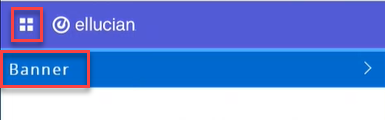
- Click on the menu located on the left, then click on Banner.
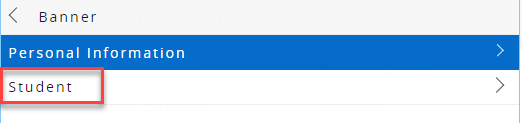
- Click on Student.
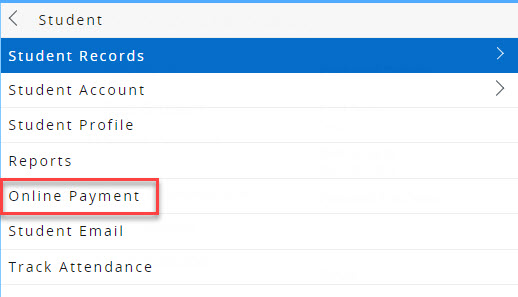
- Click on Online Payment.
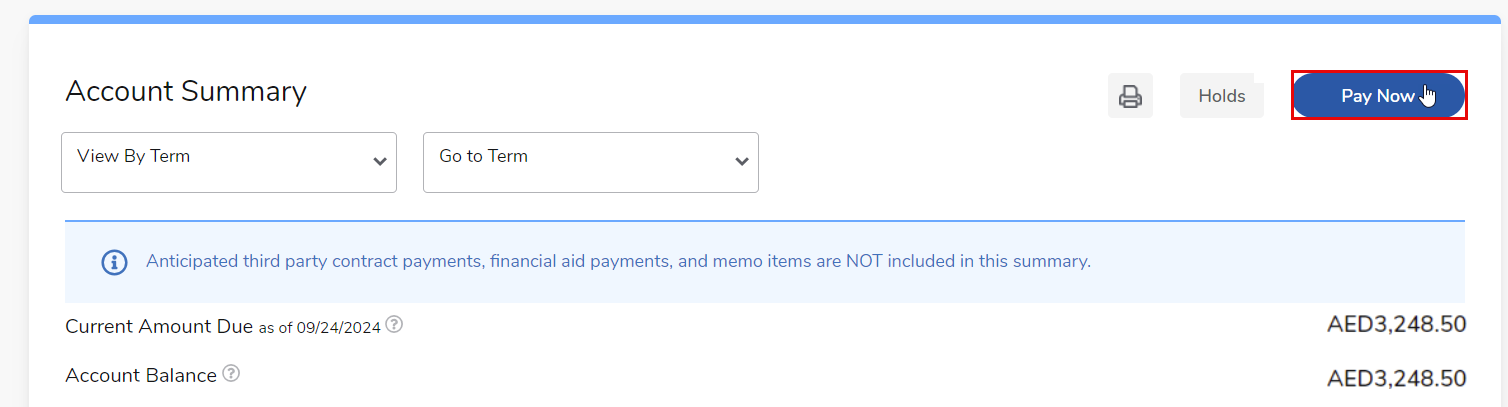
- Click on Pay Now.
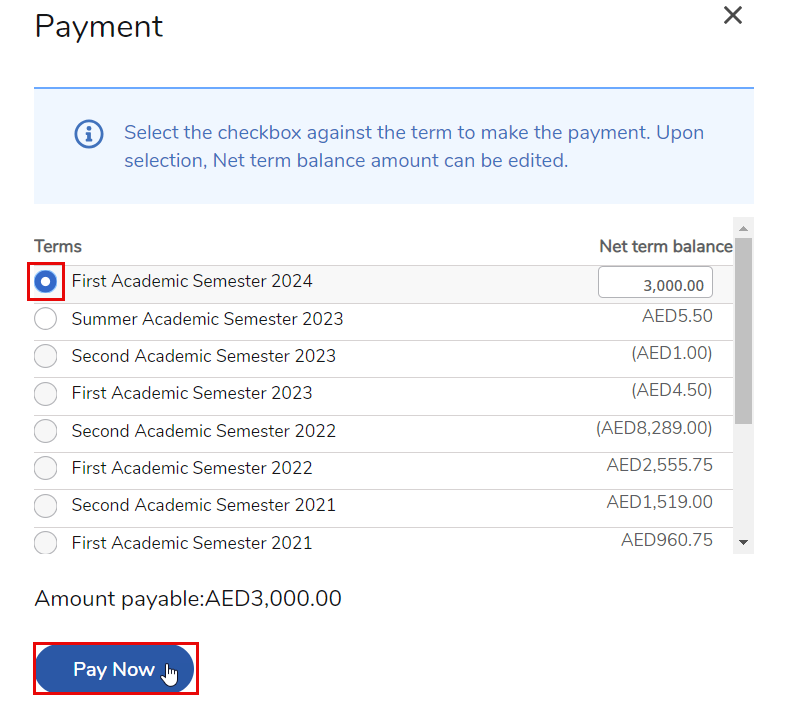
- Select the term you want to pay for, enter the desired amount, and ensure that the amount is a positive number and not negative. Then click "Pay Now."
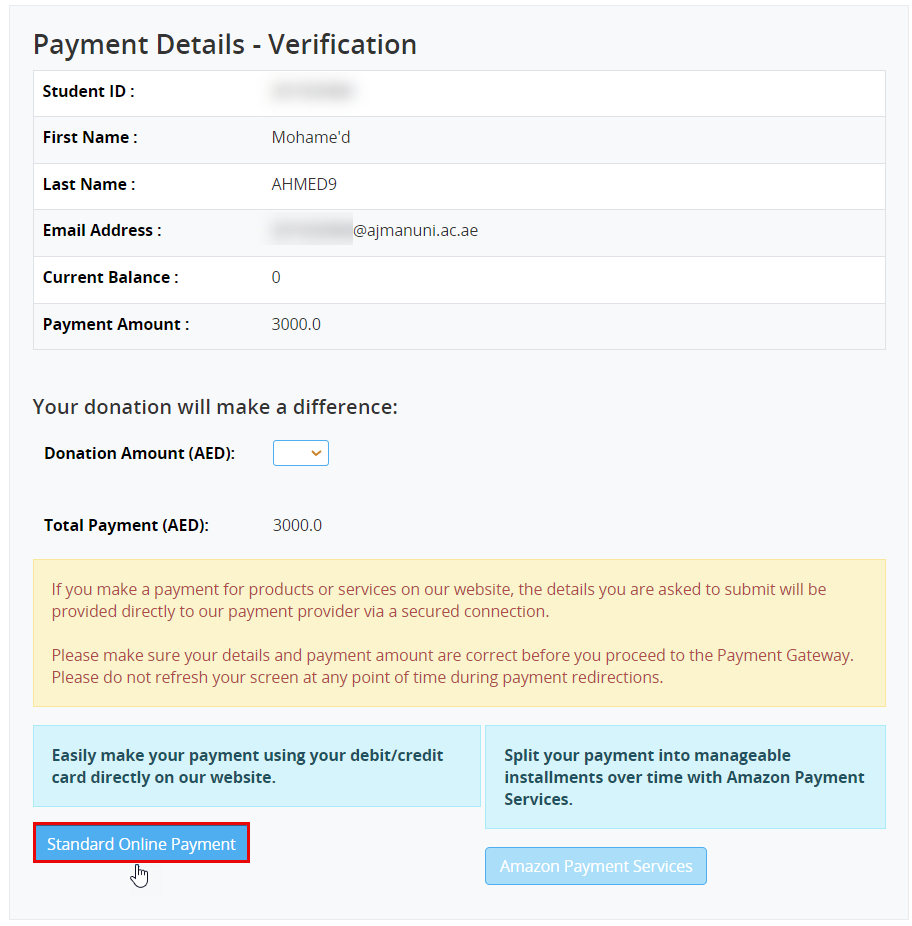
- You will be able to review the payment details, such as your name, the current balance, and the payment amount. If all the details are correct, click on Standard Online Payment.
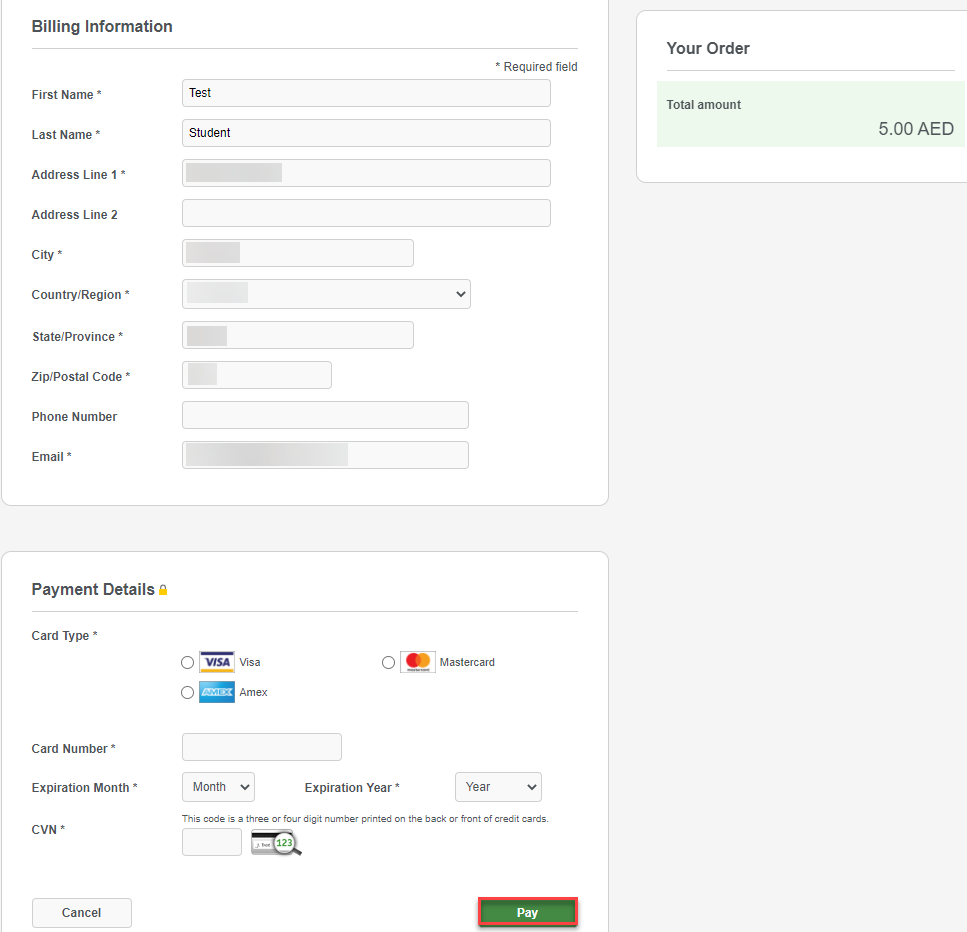
- Enter your details and card details and then click on Pay. Please note that you will be able to view the order details on the right side of the screen.
- You will receive payment notification to your AU email and you will be directed to a webpage with a notification of whether your payment was successful or not.
Was this article helpful?
Related articles
Banner SIS
Original source: https://it.ajman.ac.ae/docs/online-payment