


Zoom Installation for Faculty and Staff
Published 7 Jul 2021Updated 7 Jul 20211 min read
You can install Zoom on your device by following the below steps:
- Open Google Chrome and navigate to Zoom’s website (https://zoom.us/).
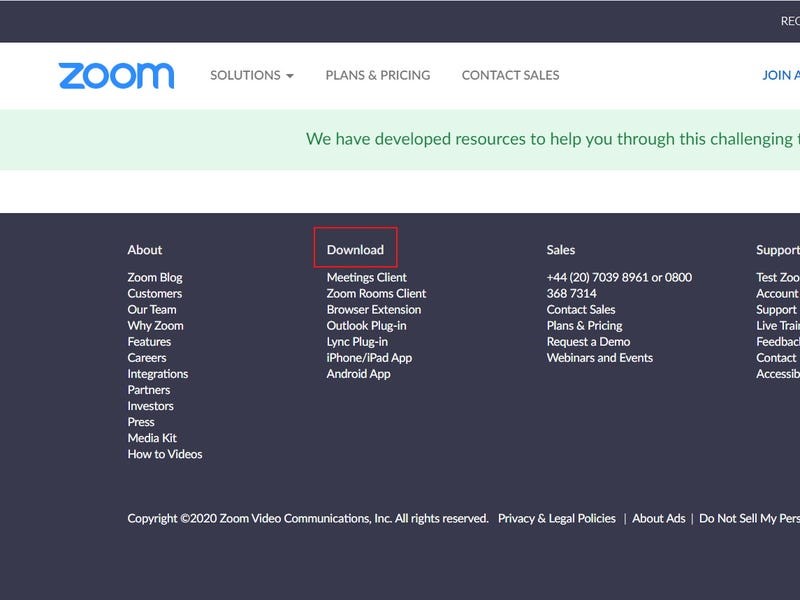
- Scroll down to the bottom of the page and click on Download, as illustrated below:
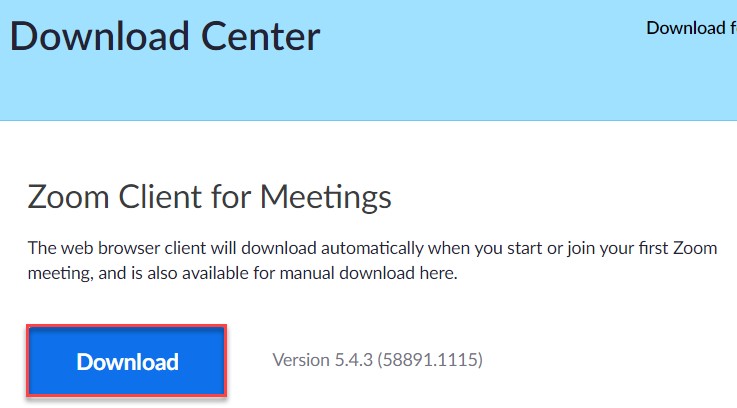
- On the Download Center page, click on Download under Zoom Client for Meetings section, as illustrated below:
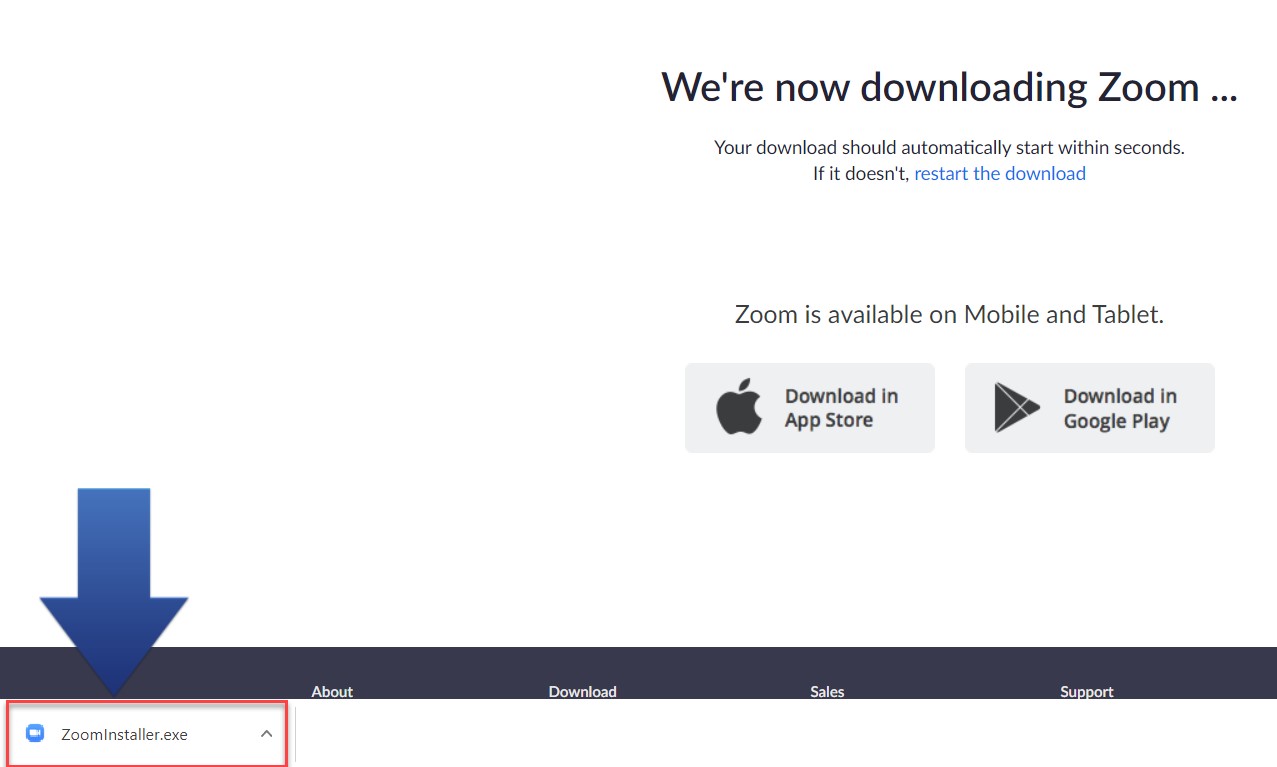
- The Zoom app will then begin downloading. You should then click on the .exe file to begin the installation process, as illustrated below:
Was this article helpful?
Related articles
Zoom
Original source: https://it.ajman.ac.ae/docs/faculty-staff-zoom-installation