


Create an Online Class
By Khadija AhmedPublished 8 Jul 2021Updated 11 Feb 20241 min read
You can create an online class (zoom meeting) by following the below steps:
- Log in to Moodle, go to the course, and click on Zoom.
- Click on Schedule a New Meeting.

- Enter the Topic.
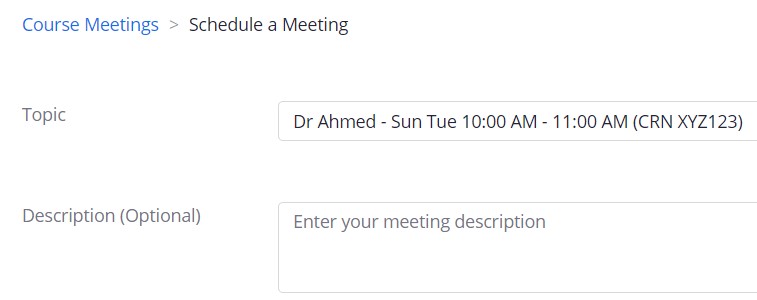
Note:
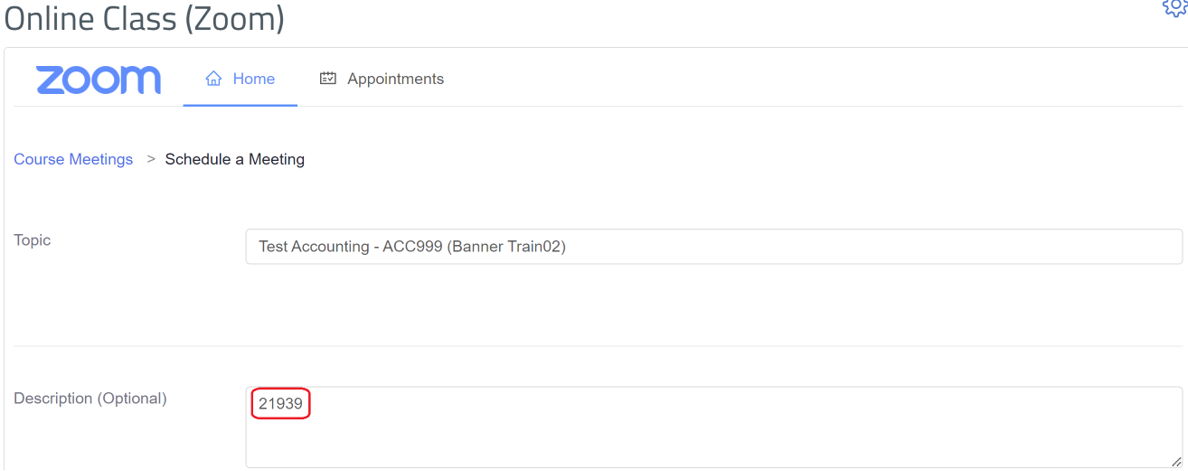
Please follow the same example in the above screenshot and make sure to include the instructor’s name, class timing, and CRN. You may include other useful details in the Description. - Enter the course CRN number in the Description field.
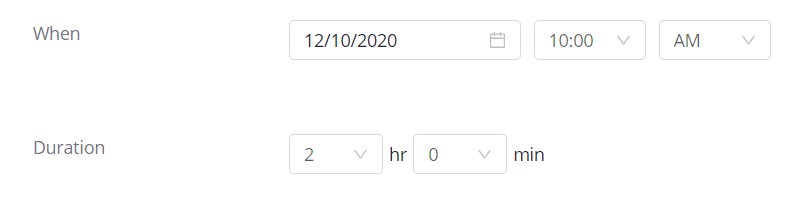
- Specify the date, time (When) and Duration.
- Apply this step "Enable Recurrence" in case you would like to have all your sessions created and recorded for the semester, whether on campus or online. by specifying the following:
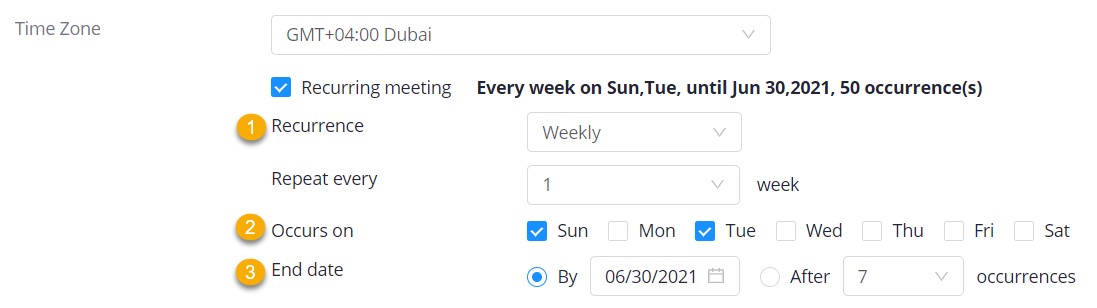
- Change the Recurrence to Weekly.
- Specify the days of your class.
- Enter the end date and make sure it is the same as the end date of the semester.
- Enable the authentication option to make sure that only students who are signed in to Zoom using their AU email address attend the session.
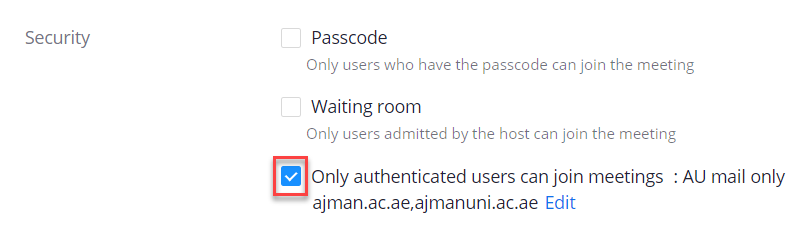
What happens if you don't enable the authentication option?
Students will be able to join the session from their personal accounts, which means you will not be able to track the attendance and reflect it on Banner. - Make sure that the video is enabled for you (host) and disabled for the students (participants).

- Click on the Save button.Note: You should start the meeting before each Zoom session by following the steps at the article: https://it.ajman.ac.ae/docs/access-an-online-class
Note:
If you have different CRNs with different schedule, please repeat the above steps to reflect the:- Specific CRN in the topic (step 3),
- Specific time (step 4), and
- Specific recurrence depending on the timetable (step 5).
Was this article helpful?
Related articles
Zoom
Original source: https://it.ajman.ac.ae/docs/create-online-class