


Create new account
By Khadija AhmedPublished 18 May 2022Updated 14 Dec 20221 min read
You can create a new account by following the below steps:
-
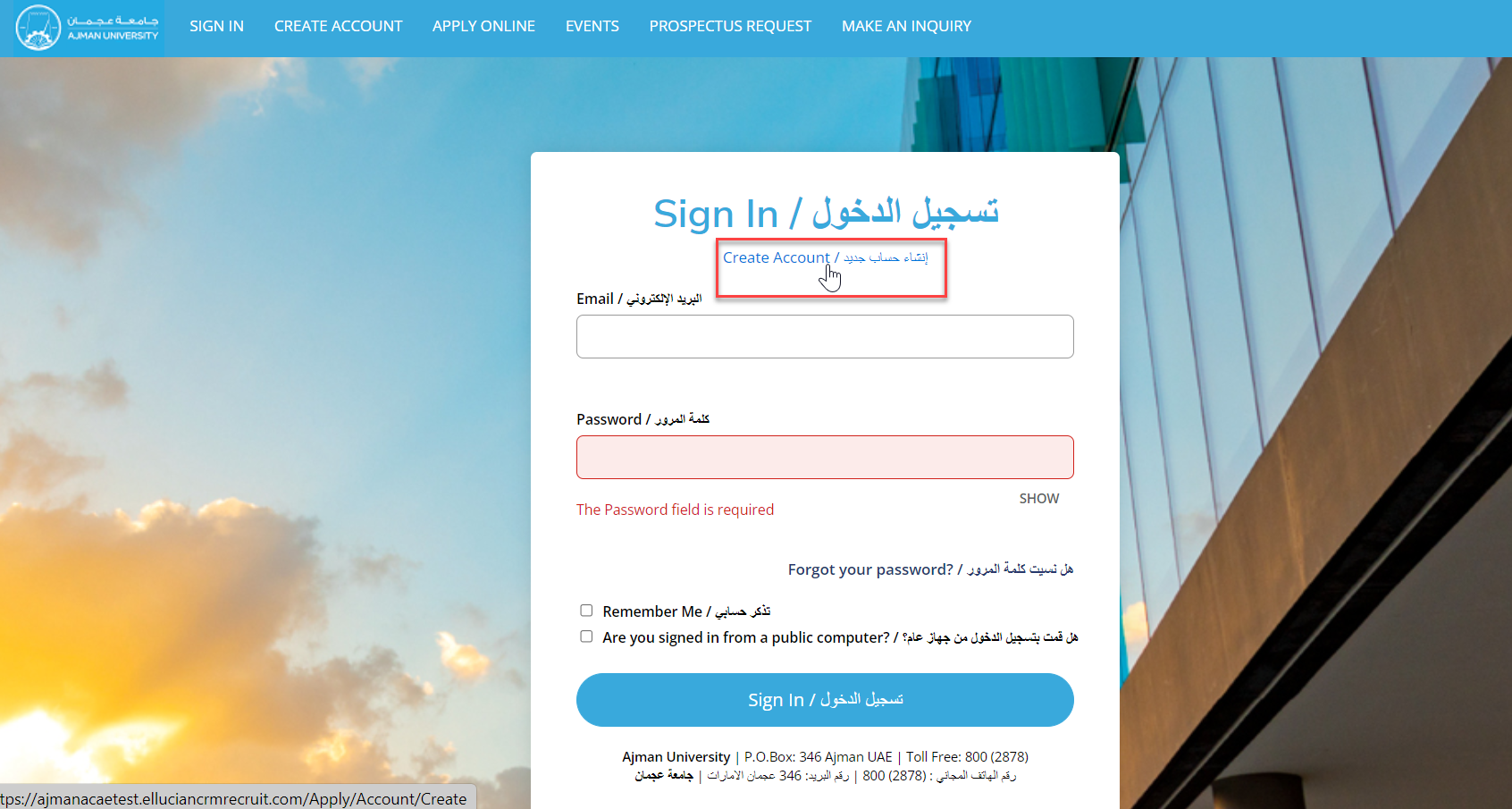
Go to Admission system Portal via link:
(https://ajmanacae.elluciancrmrecruit.com/Apply/Account/Login). -
Click on "Create Account".
-
Fill up Contact details and select your area of interest.
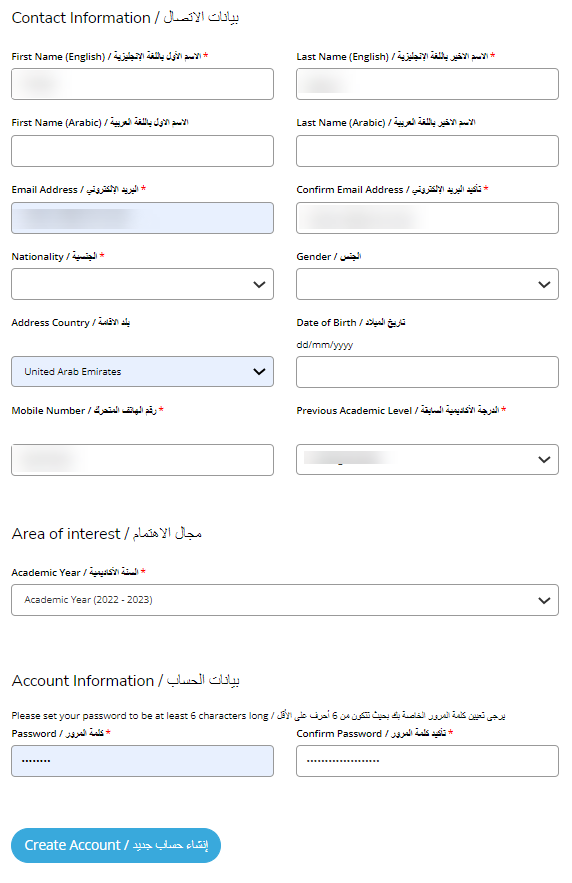
Importnat !
Make sure to enter a valid E-mail address while creating new account.
Note: (*) indicates details must be filled up.
- Set a password and confirm password, once done click on "Create account".
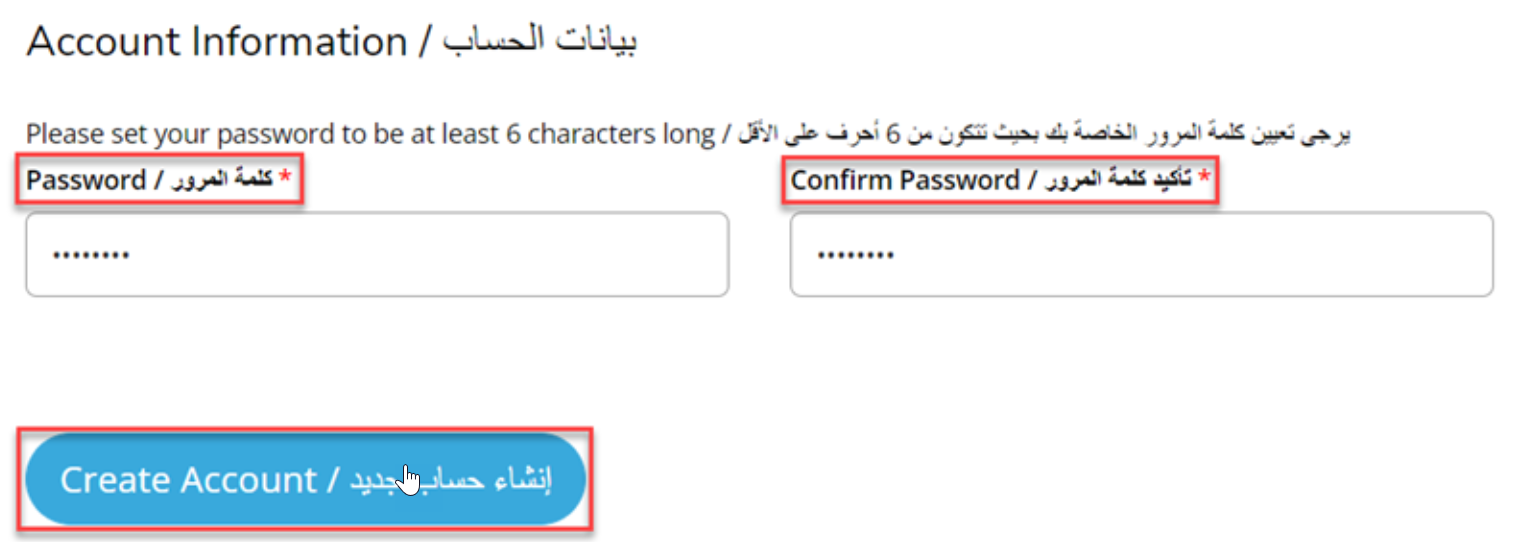
Note: Minimum password length is 6 characters.
- Go to your E-mail, you will receive an email containing instructions on how to activate your account, then click on the link received in your email to activate.
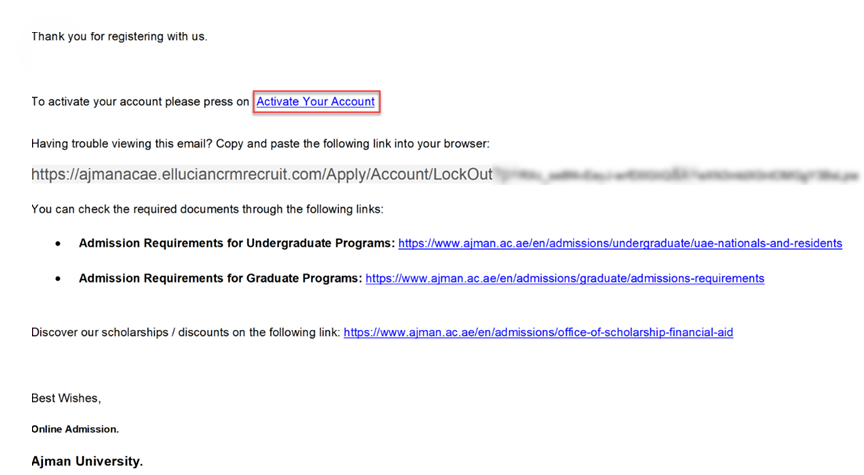
- Your Account is activated, click on “sign in” to get started.

Was this article helpful?
Related articles
Admission System (Apply Online)
Original source: https://it.ajman.ac.ae/docs/create-new-account-sign-in