


Accepting Admission Offer
Watch our video tutorial about this topic below:
You can accept the admission offer after receiving an email notification from the office of admission, the admission offer letter will contain the program, the deadline for accepting the offer, and more details about your admission.
- To accept the offer, you may click on the admission link in the offer letter email, or go to (https://ajmanacae.elluciancrmrecruit.com/Apply/Account/Login)
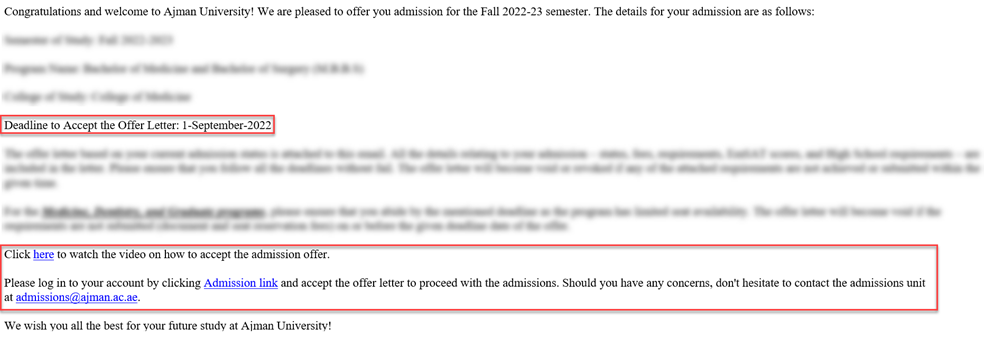
Note: Make sure to accept the offer letter before the due date, else the application will be canceled.
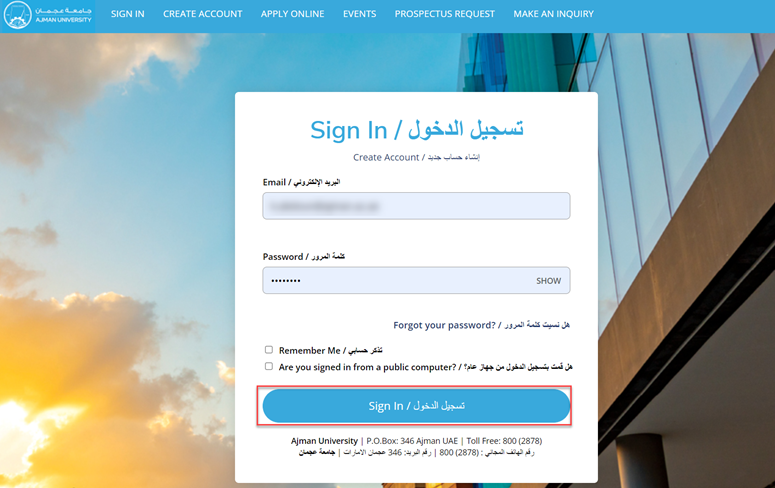
- Sign in using your registered E-mail address and password, then click on Sign In.
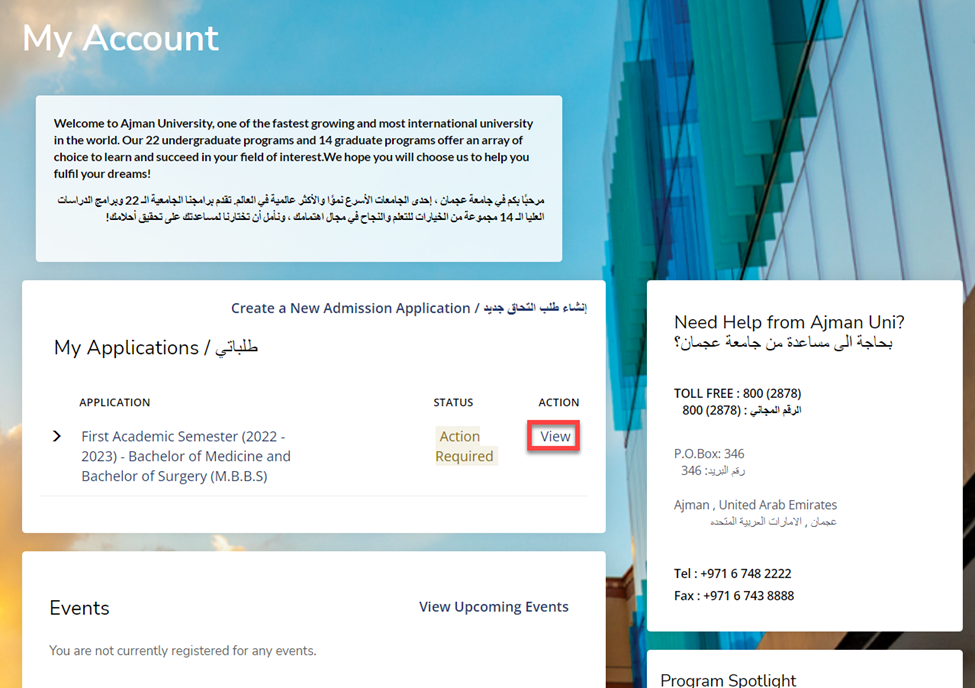
- Click on “View”.
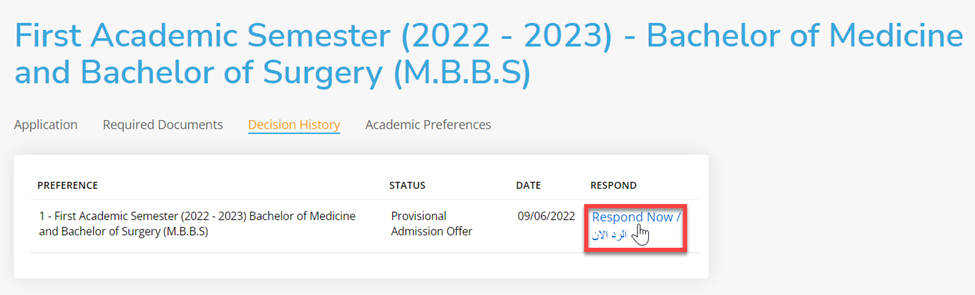
- Click on “Respond now”.
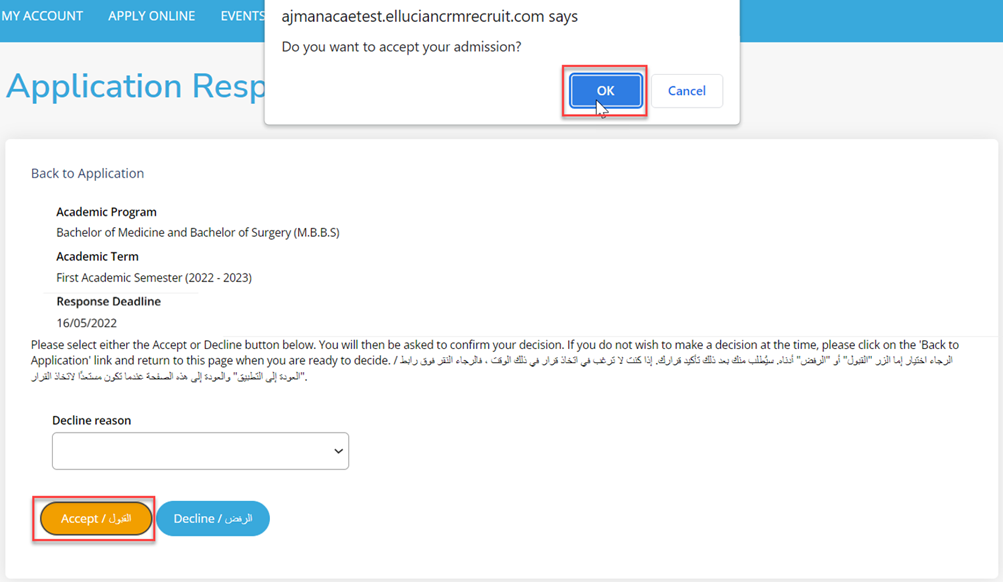
- Click on “Accept” button to accept your offer, then confirm by clicking on “OK” button.
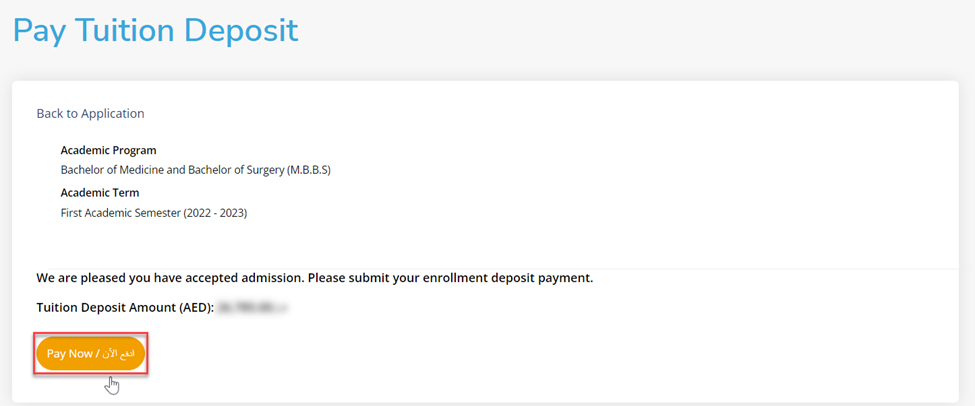
- Click on “Pay now” to proceed with the payment.
-
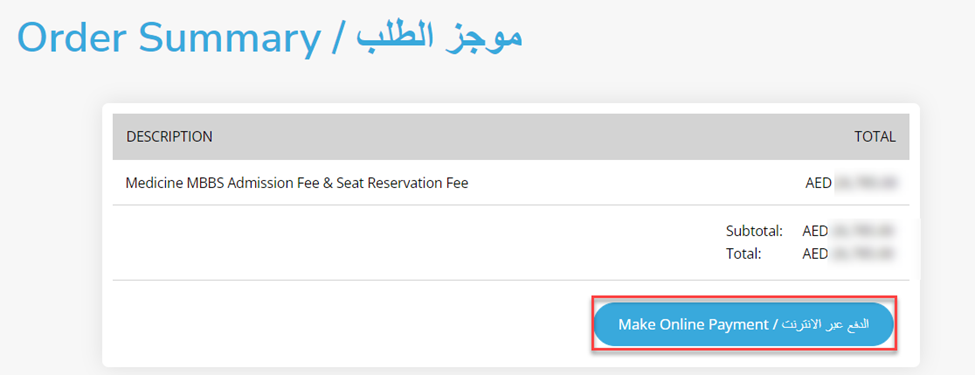
Click on “Make Online Payment".
-
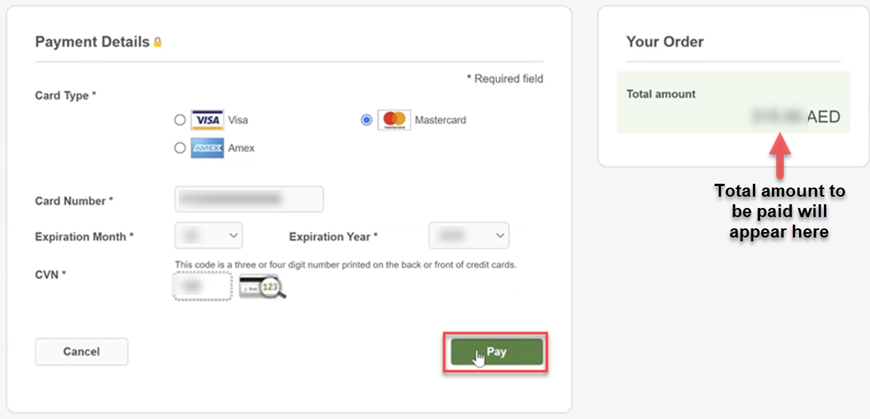
Fill up the card details, then click on “Pay” once done.
Note: For the below programs, reservation seat fees + admission fees must be paid.
- Bachelor of Dental Surgery.
- Bachelor of Medicine and Bachelor of Surgery (M.B.B.S).
- Bachelor of Pharmacy.
- Doctorate of Business Administration (DBA).
- Master of Science in Endodontics.
- Master of Science in Pediatric Dentistry.
- Master of Science in Restorative Dentistry.
Other programs will have admission fees ONLY.
- Your application and payment are submitted successfully, you can view your application status by clicking on the link.
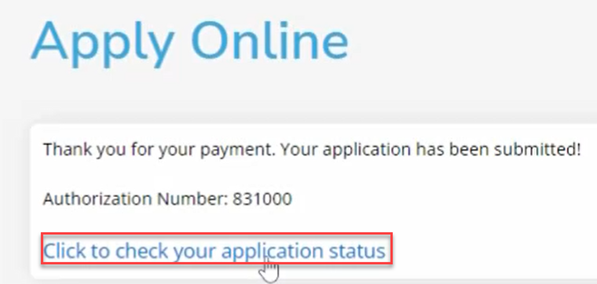
You will be directed to the Home page, where you can check your application status.
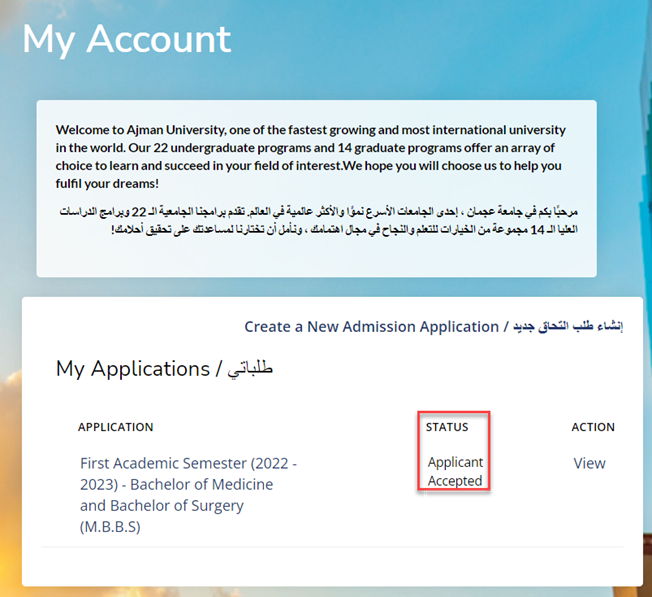
Note: After Admitting, you will be receiving email notifications with the below:
- Welcome E-mail.
- IT services E-mail.
- Guidelines of Ajman University.
Was this article helpful?
Related articles
Admission System (Apply Online)
Original source: https://it.ajman.ac.ae/docs/accepting-admission-offer