


Upload required documents
By Khadija AhmedPublished 18 May 2022Updated 18 May 20221 min read
You can upload required documents by following below steps:
- Click on “Required documents” or “Click here” link to upload required documents before submitting your application.
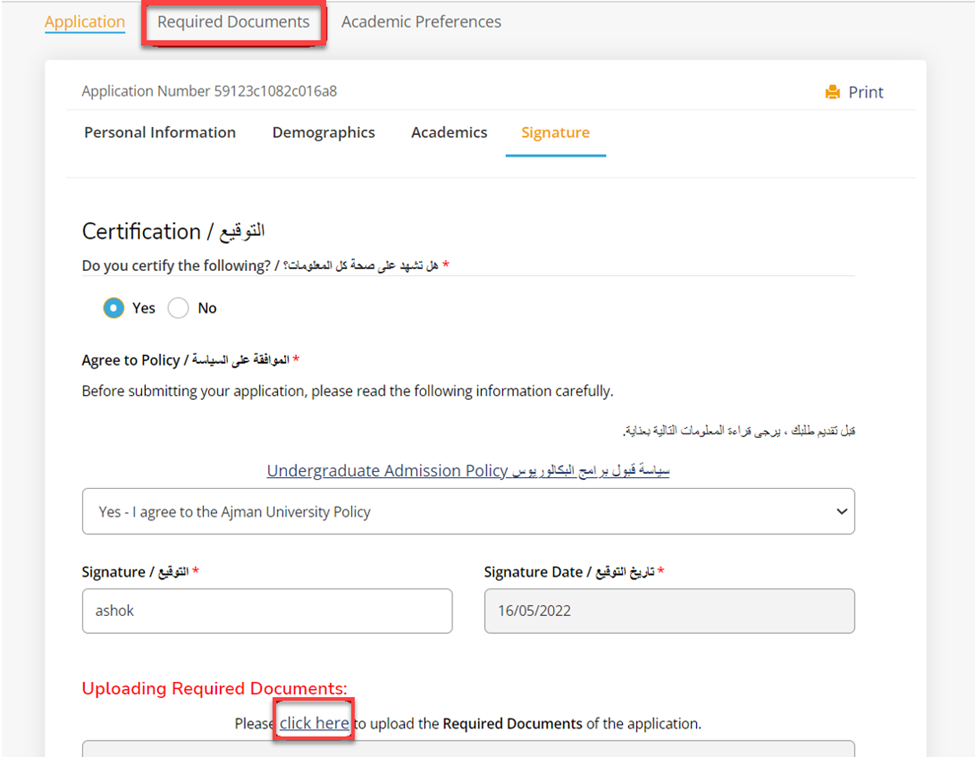
- Click on “Choose files” to select file from your device according to the required item.
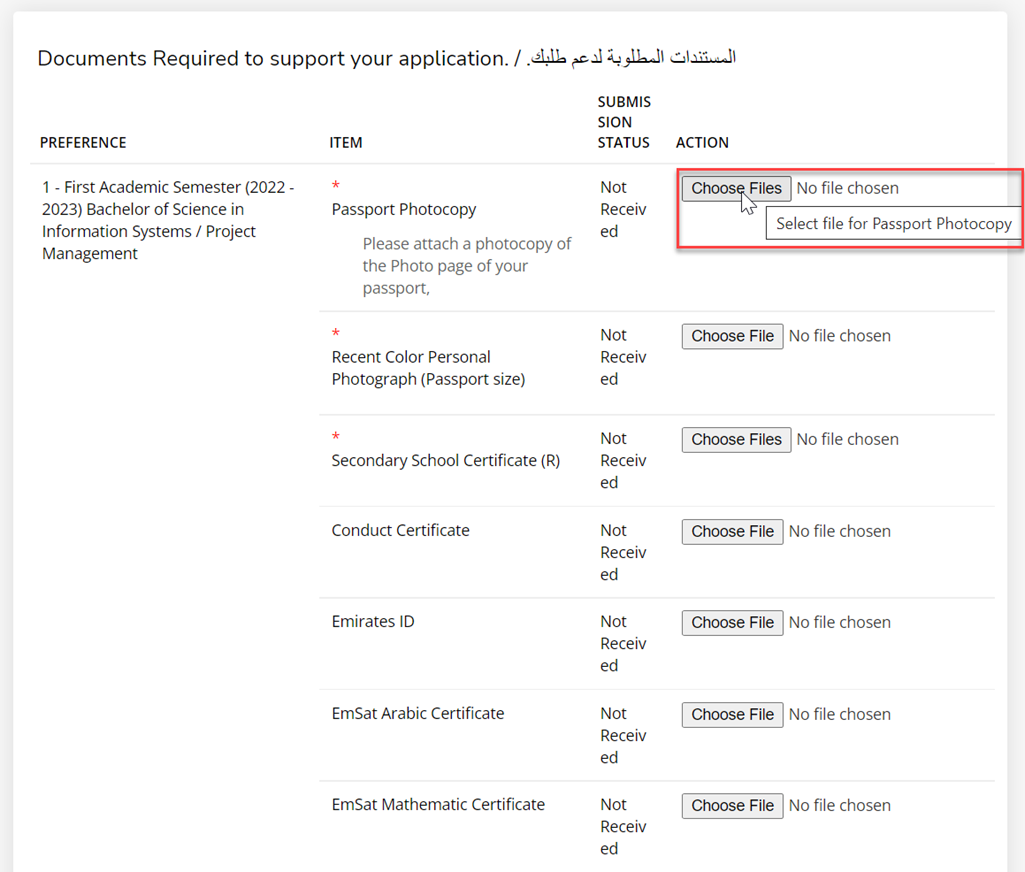
Note: (*) indicates documents are required to be uploaded.
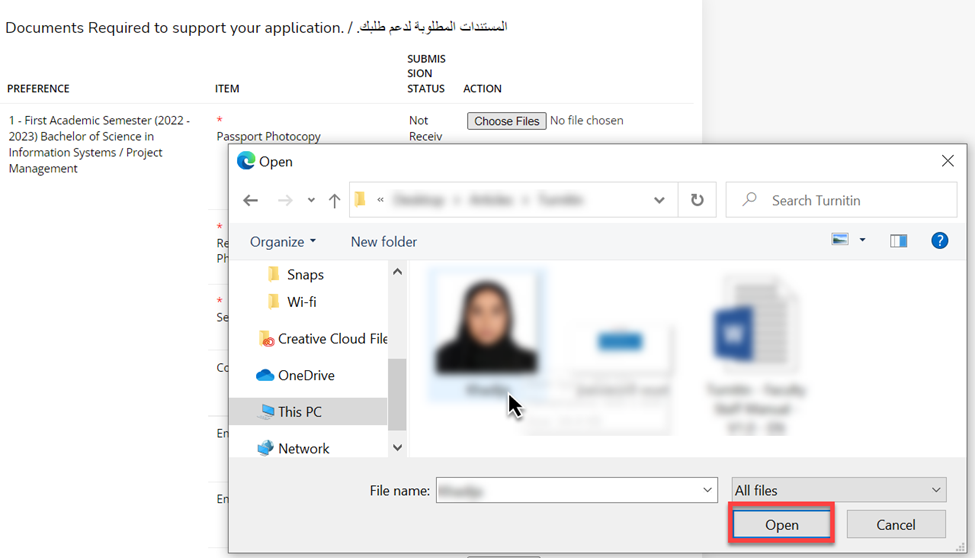
- Select the file to be uploaded according to the required item., then click on Open.
- Click on “Upload”.
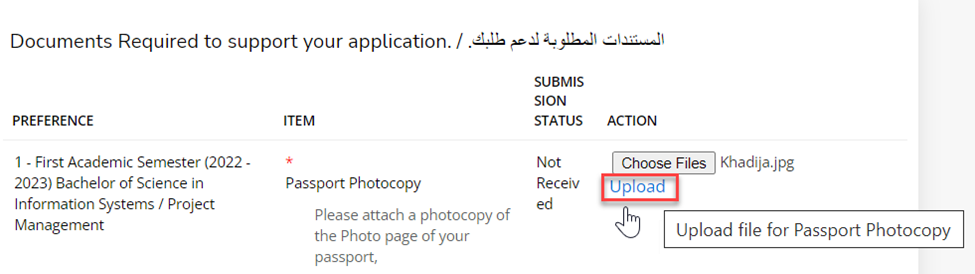
Important !
Make sure to click on “Upload” after selecting the file from your device, Otherwise the files will not be uploaded in the system and can’t be viewed by Admission team.
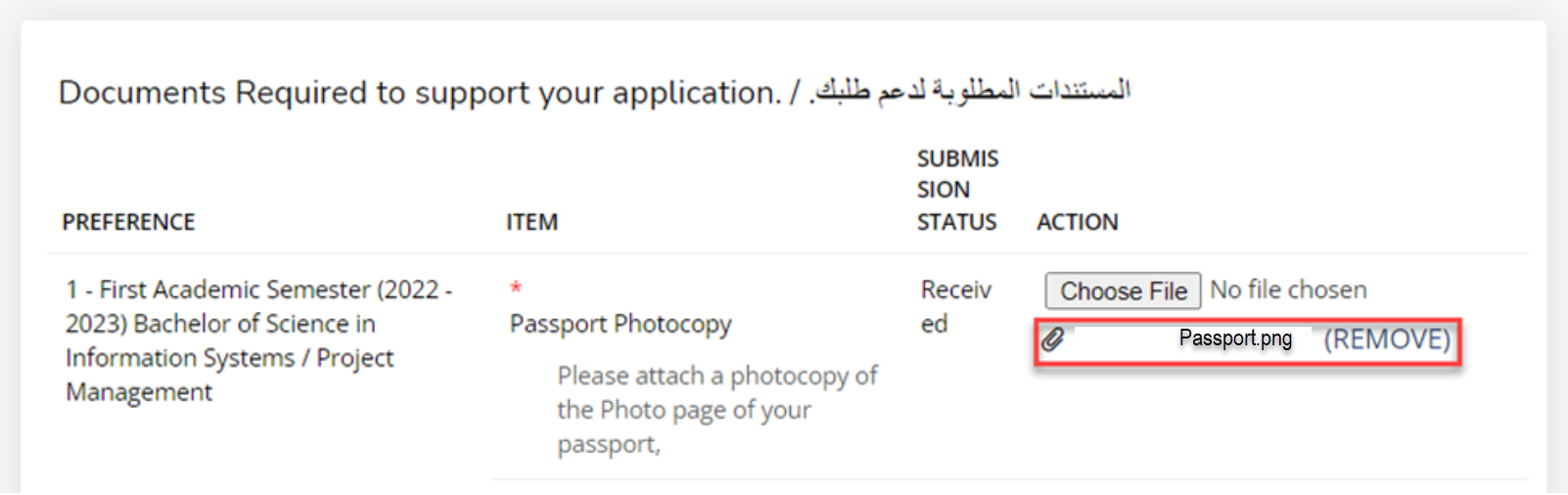
- File is uploaded.
Note:
You can add multiple files if required by following the previous steps 2,3,4.
You can also remove files by clicking on (REMOVE).
Was this article helpful?
Related articles
Admission System (Apply Online)
Original source: https://it.ajman.ac.ae/docs/uploading-required-documents