

Modifying Electronic Documents
You can modify an electronic document simply by opening the electronic file and making the changes you want. While you have that electronic document open, no other users will be able to modify it, although they will be able to modify its metadata or open it for viewing. When you save and close the document, you will be prompted to save the document to the Laserfiche repository. You will be able to save the document as a new version, save it as a new document, overwrite the existing document, or discard the changes you made.
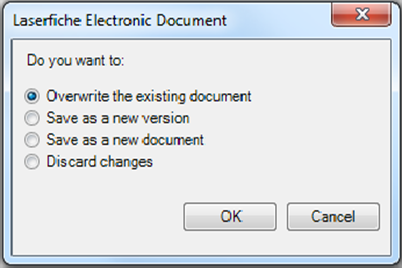
The changes you made will only be saved to the repository if you save and close the document before you log out of Laserfiche.
Was this article helpful?
Related articles
Working with Electronic Documents
Original source: https://it.ajman.ac.ae/docs/modifying-electronic-documents