

Creating a Future Position Request
Please Note:
This user manual is currently under review. A revised version reflecting the new Redwood user interface will be available soon.
This guide provides step-by-step instructions on how to create a Future Position Request in Oracle HCM. This process typically begins alongside the budget cycle to ensure alignment with organizational planning. Follow these steps to ensure a successful request submission.
-
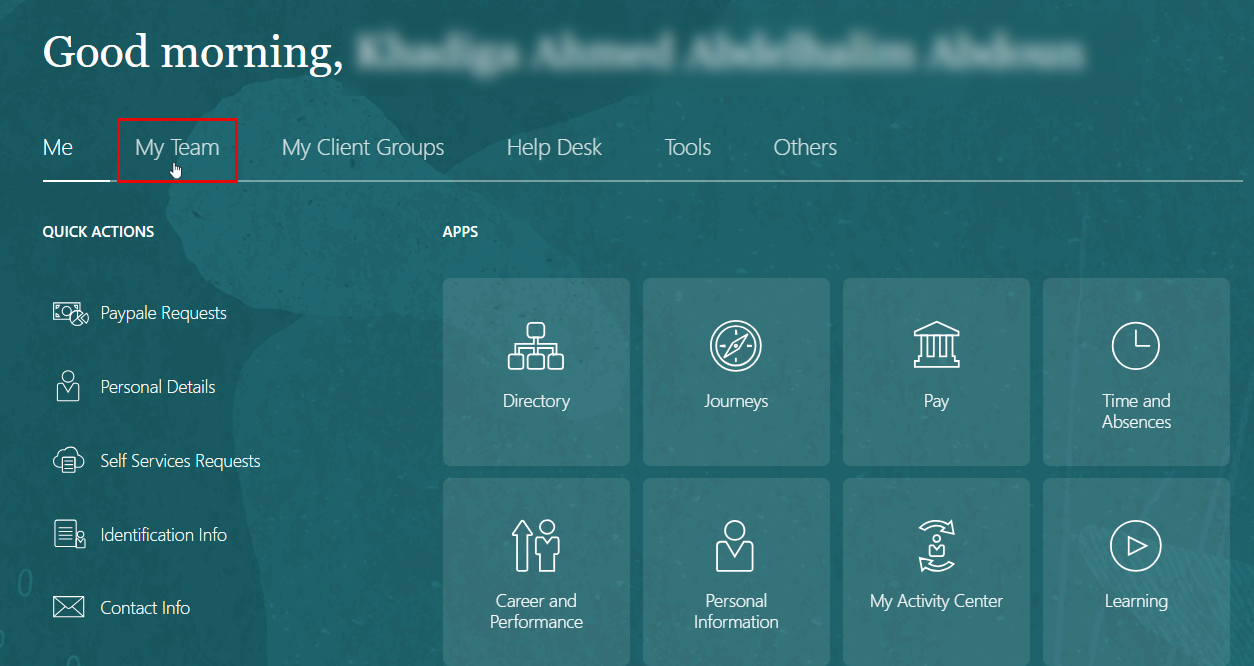
From the Oracle HCM homepage, click on My Team.
-
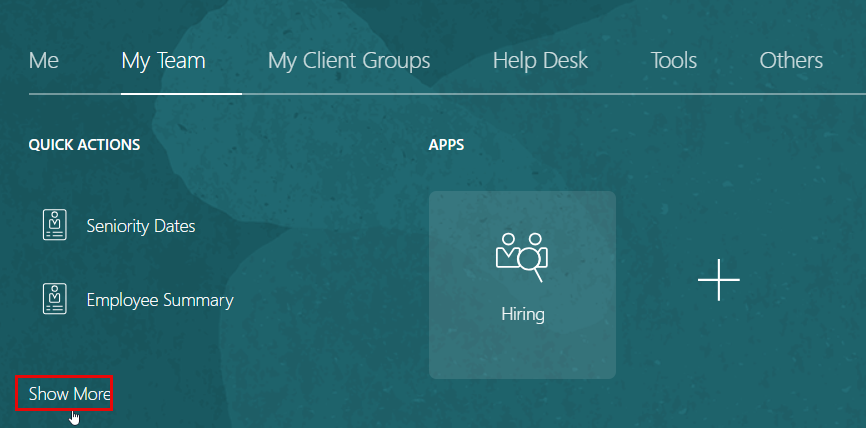
Click on Show More to expand the available options.
-
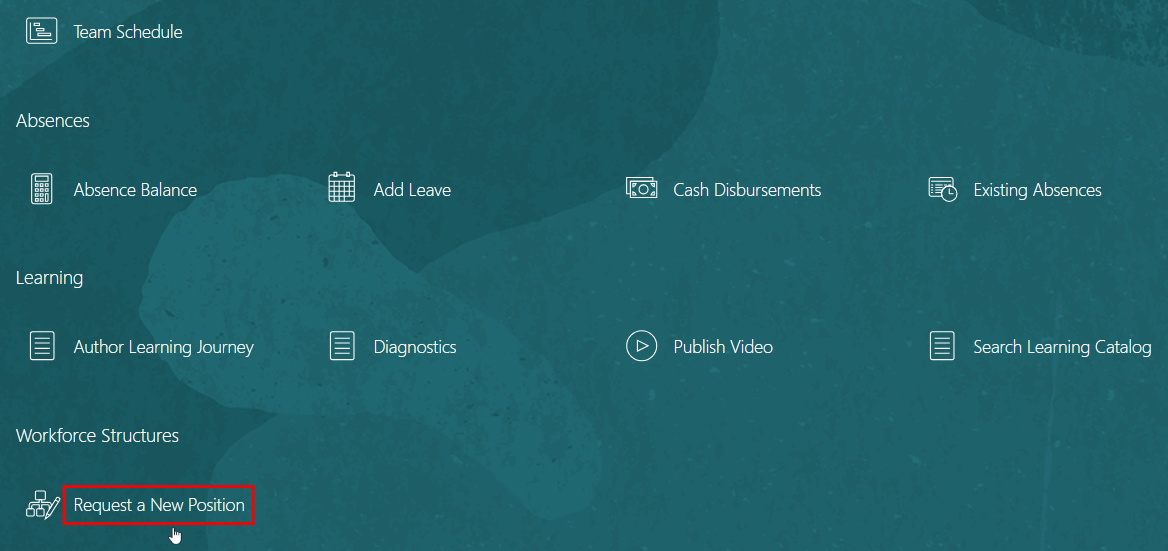
Scroll down to locate Workforce Structures, then click on Create New Position.
-
Once on the request page, you will need to complete three sections of the form:
-
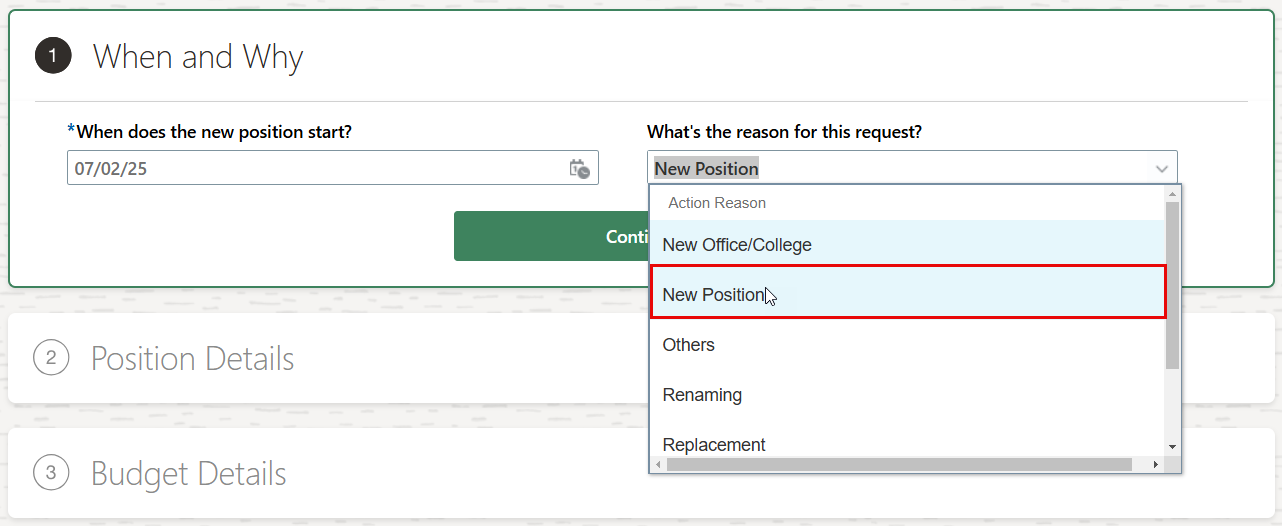
When and Why:
- Choose "New Position" as the reason for the request.
- Click Continue to proceed to the next section.
-
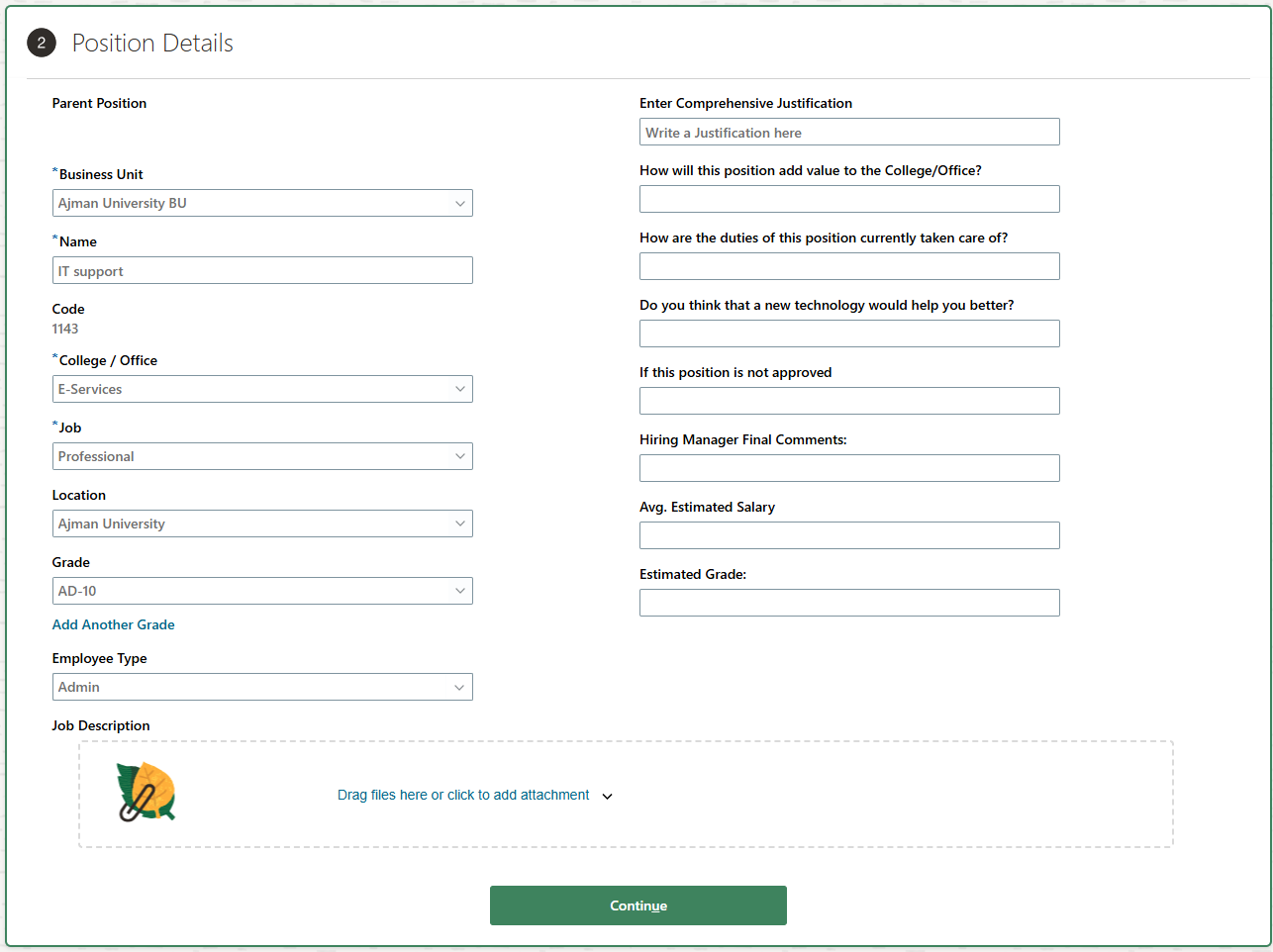
Position Details:
- Fill in all mandatory fields related to the new position.
- Make sure to complete the questionnaire associated with the request to provide additional context.
- You may upload the "Job Description" to the attachment section.
- Click Continue to proceed to the next section.
-
Budget Details:
- Set Is the Position Budgeted? to No.
- Leave the Cost Center field blank (no value).
- Enter the Headcount, which represents the number of hires needed for this position.
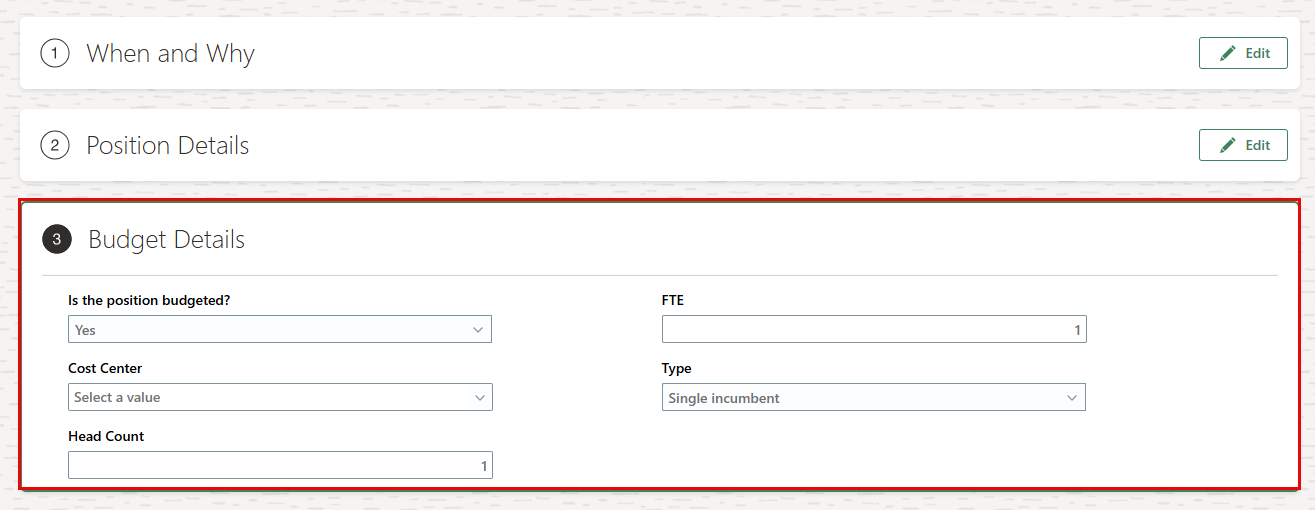
- Review all entered details to ensure accuracy, and then click Submit to send the request for approval.

Was this article helpful?
Related articles
Recruitment
Original source: https://it.ajman.ac.ae/docs/creating-a-future-position-request