


Import a Question Bank
بواسطة Khadija Ahmedتاريخ النشر 25 أغسطس 2024آخر تحديث 7 أغسطس 20251 دقائق قراءة
هذه المقالة غير متوفرة بالعربية بعد. يتم عرض النسخة الإنجليزية.
This feature allows you to create, preview, and edit questions within a database of question categories. It is limited to use at the course or quiz level. You can import a question bank by following the steps below:
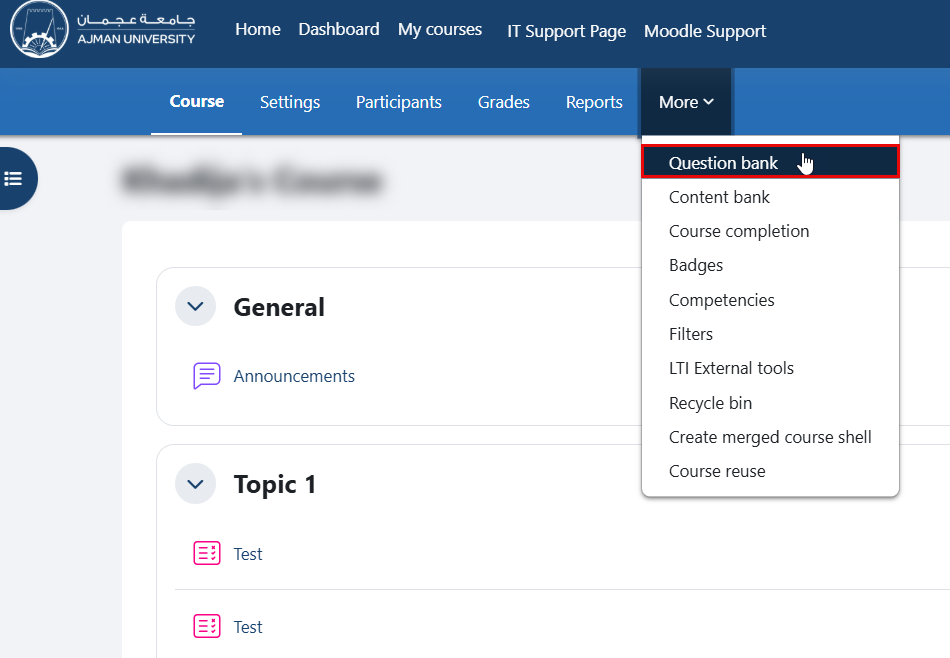
- Within the course, navigate to "More" in the secondary menu, then click on "Question Bank".
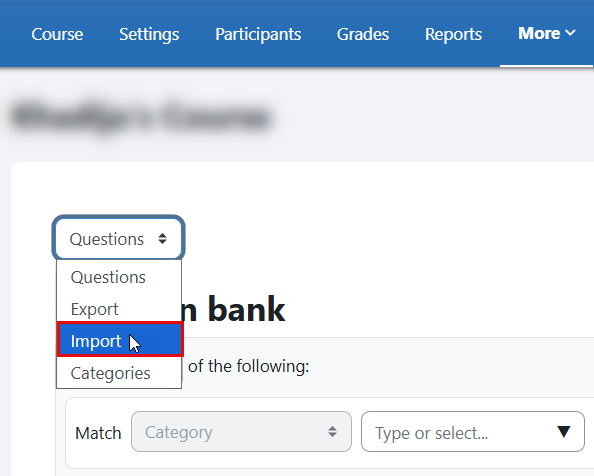
- From the drop-down menu, select the "Import".
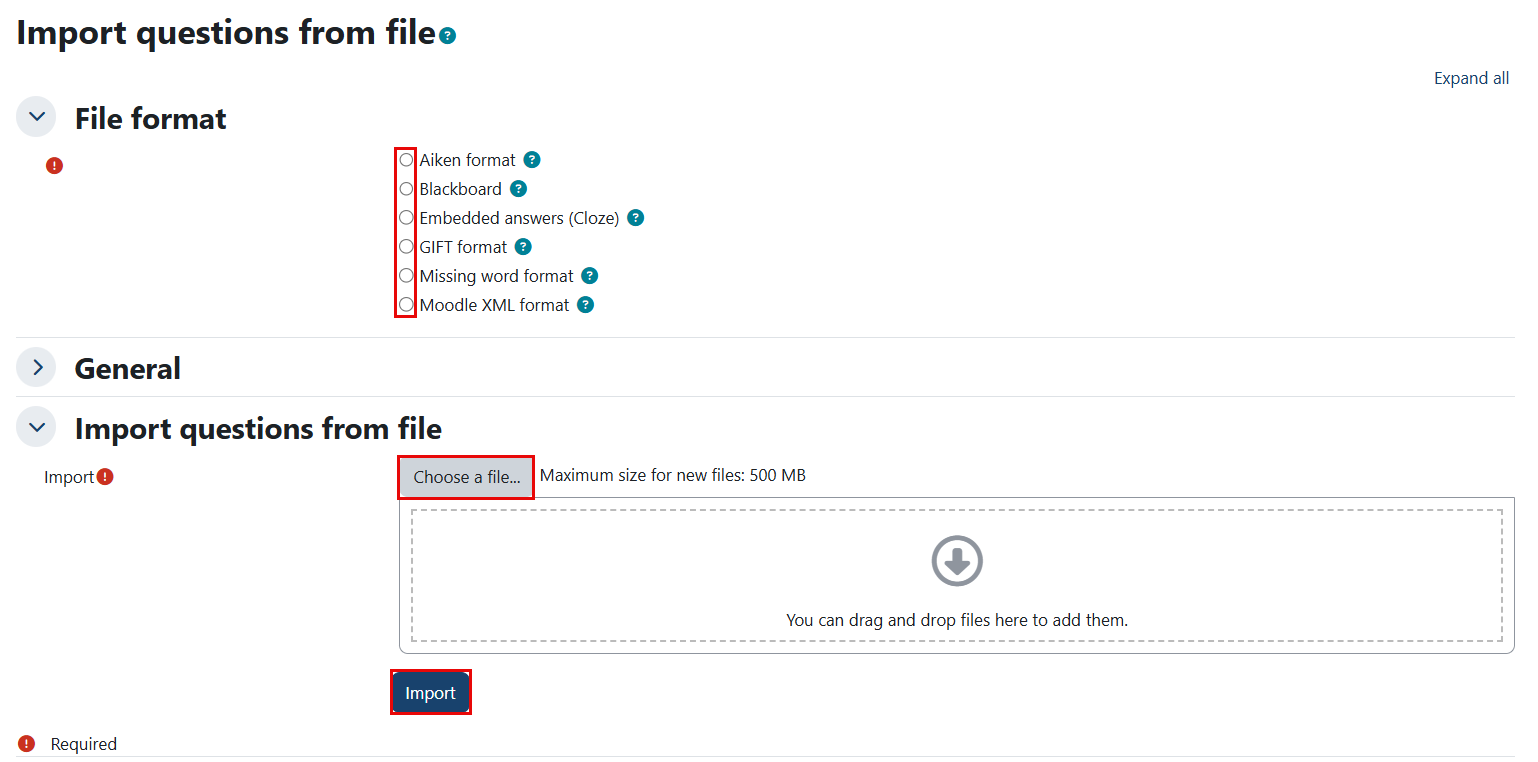
- Choose one of the supported file types, upload the file, and click the Import button.
هل كانت هذه المقالة مفيدة؟
مقالات ذات صلة
Online Exams for Faculty
المصدر الأصلي: https://it.ajman.ac.ae/docs/clone-import-a-question-bank