


Cancel a Booked session
By Khadija AhmedPublished 8 Mar 2023Updated 2 May 20241 min read
To cancel the booking of registered sessions, please follow the steps below:
-
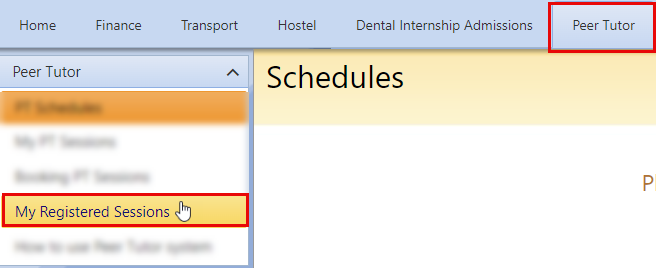
Navigate to the Peer tutor tab, then click on My Registered Sessions.
-
Click on Cancel, to cancel your registration for the booked session.
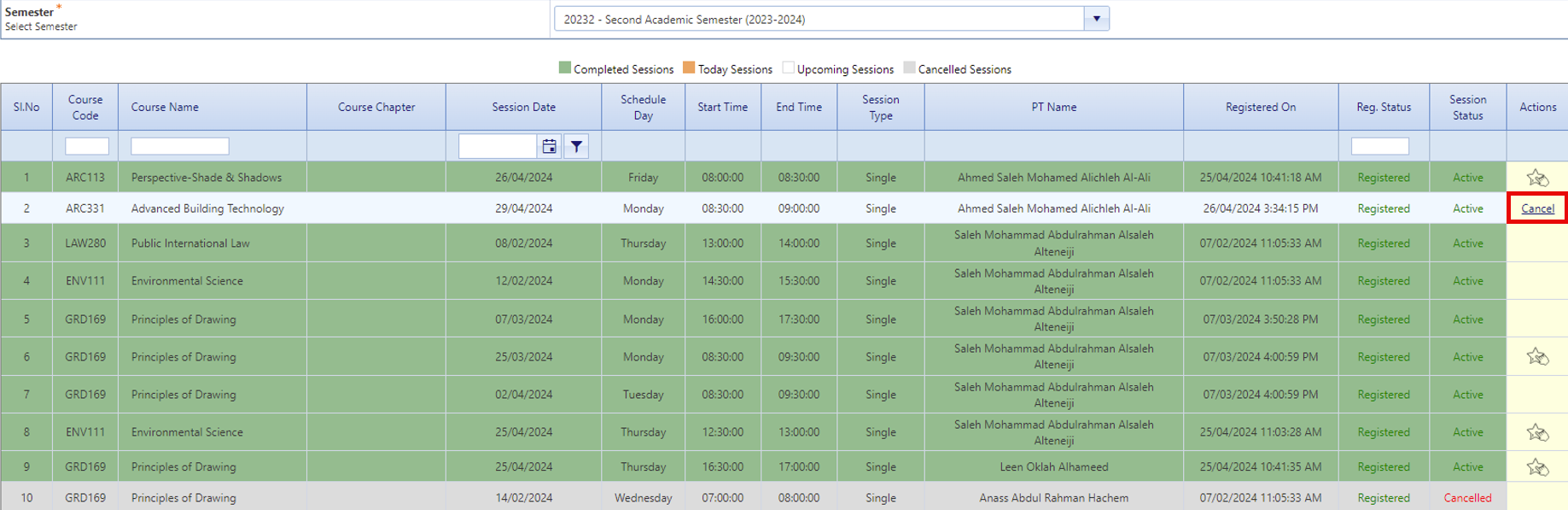
Note: Students can cancel the booked session 24 hours before the session.
-
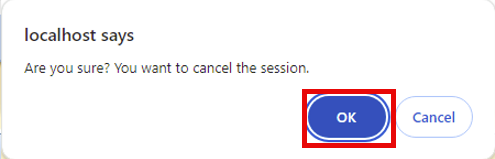
To confirm the cancellation, click on “OK”.
-
Your booking is cancelled successfully.
Was this article helpful?
Related articles
Peer Tutor
Original source: https://it.ajman.ac.ae/docs/cancel-session-booking