


Register Linked Courses (Theory and practice/tutorial)
Published 12 Jul 2021Updated 1 Sept 20211 min read
To start registering classes for the next term, follow the below steps:
- Log in to Banner.
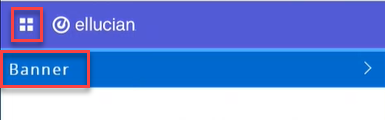
- Click on the menu located on the left, then click on Banner.
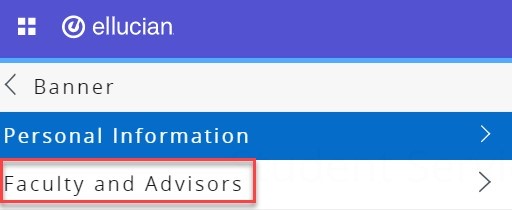
- Click on Faculty and Advisors.
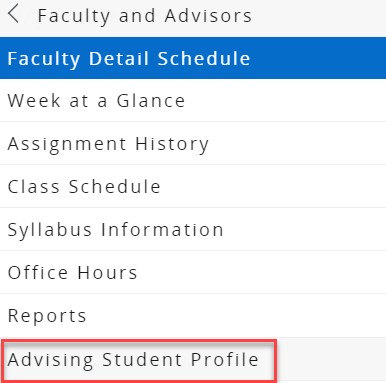
- Click on Advising Student Profile.
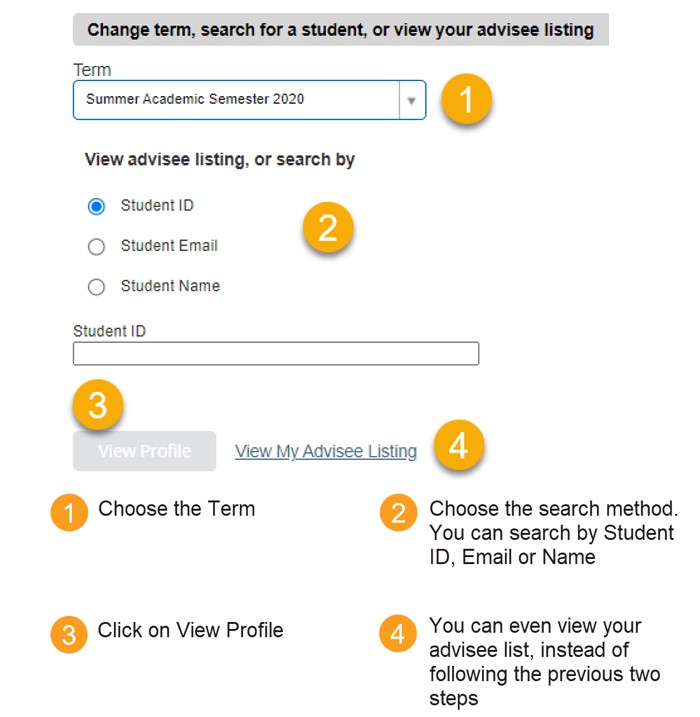
- Search for the student you would like to advise, following the below steps:
Note:
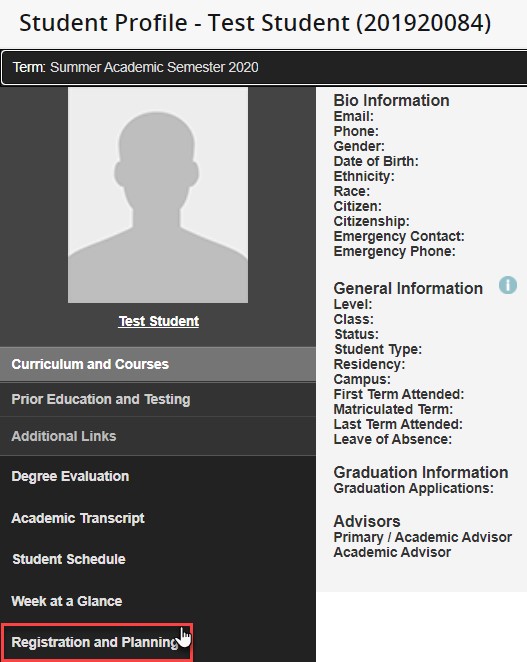
You can only register the student for classes if there are no holds on the system. You can view the holds from the Student Profile. - On the student profile, click on Registration and Planning, which is located on the left side of the screen, as illustrated below. Once you click the button, a new page will open.
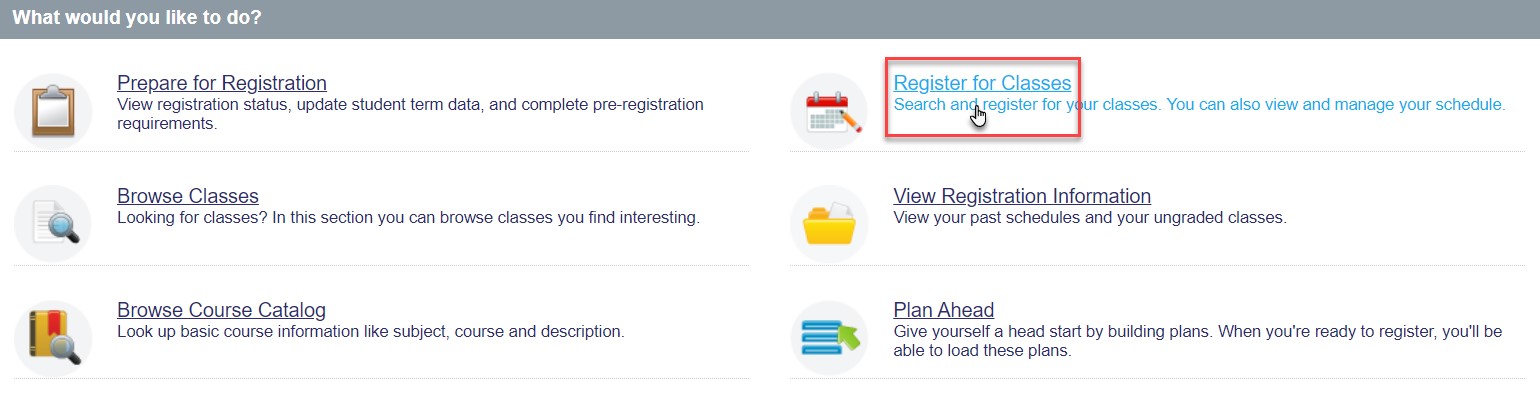
- Click on Register for Classes.
- Choose the role as Faculty or Faculty and Advisor, and click on OK.
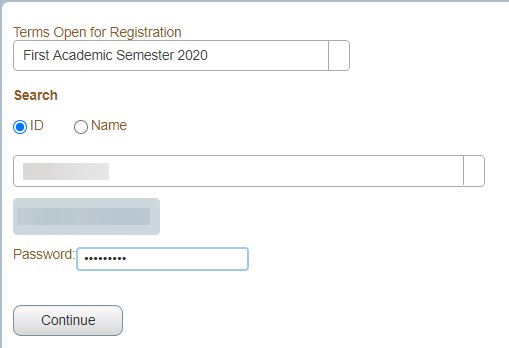
- Choose the term, enter the student ID twice, in the ID field and in the password field, then click on Continue.
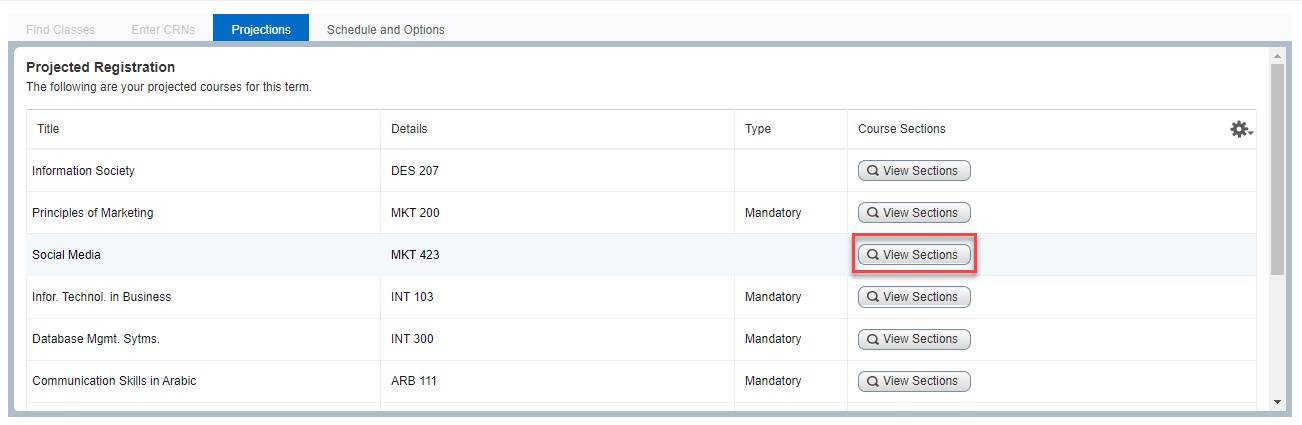
- Choose the course you would like to register and click on View Sections.
- Choose the course you would like to register and click onAddfor both: the lecture/theory and practical/tutorial sections that are suitable for you. If you are unsure which section is suitable for you, please refer to this article.
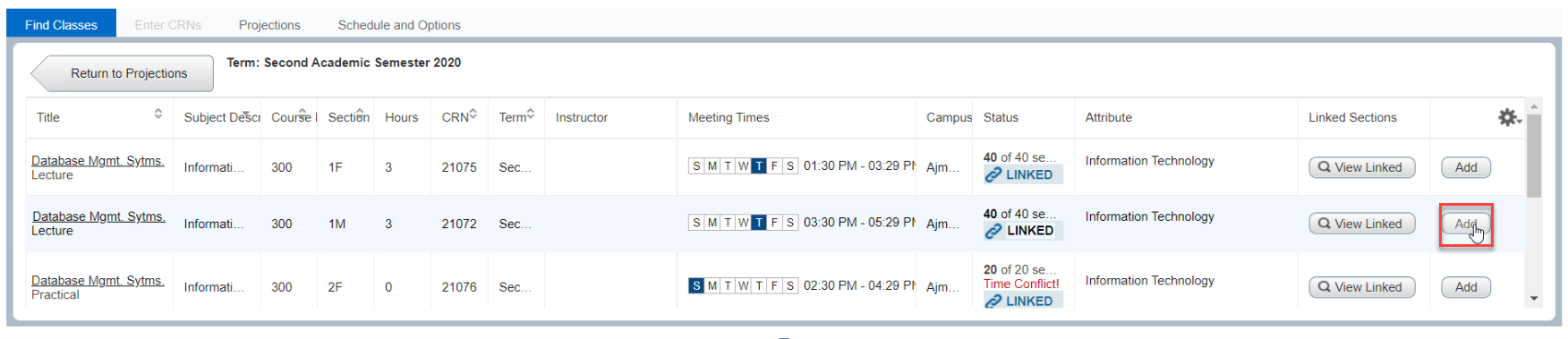
- If you have added all the courses, review the courses from the Summary section and then click on Submit.
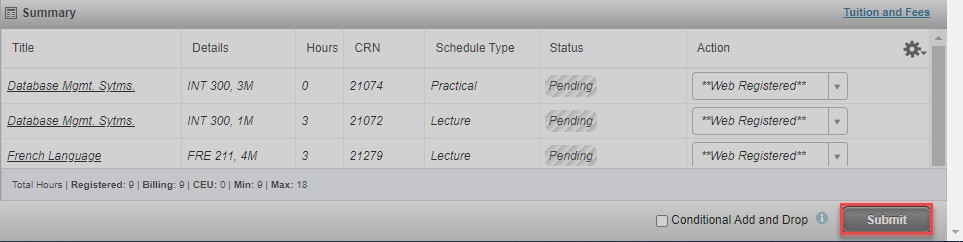
Note:
If you are facing any issues or receiving any errors while registering the courses, check the list of errors which is available in this article. Afterwards, if you still need assistant while registering the courses, kindly reach out to the lab assistants on campus or the Helpdesk on helpdesk@ajman.ac.ae and attach a screenshot of the error.Was this article helpful?
Related articles
Class Registration for Academic Advisors
Original source: https://it.ajman.ac.ae/docs/advisor-register-linked-courses