


Drop Courses
Published 12 Jul 2021Updated 12 Jul 20211 min read
To drop courses, please follow the below steps:
- Log in to Banner.
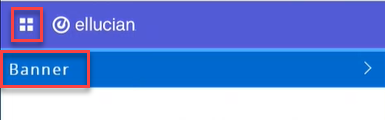
- Click on the menu located on the left, then click on Banner.
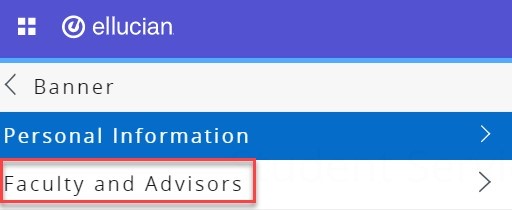
- Click on Faculty and Advisors.
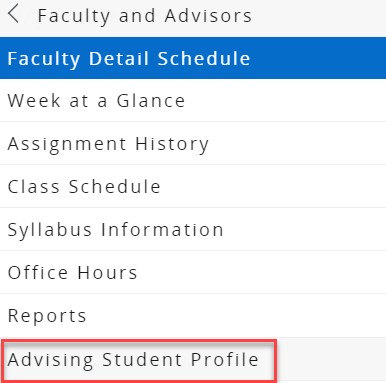
- Click on Advising Student Profile.
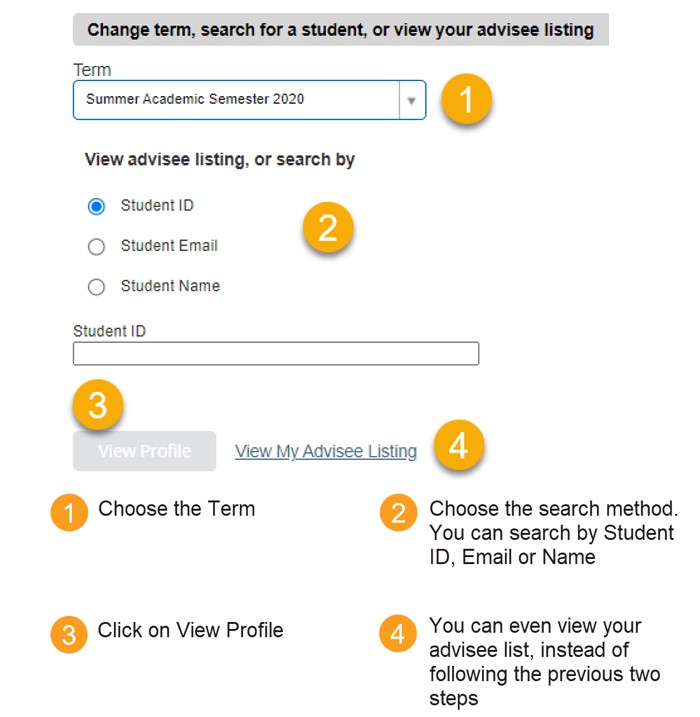
- Search for the student you would like to advise, following the below steps:
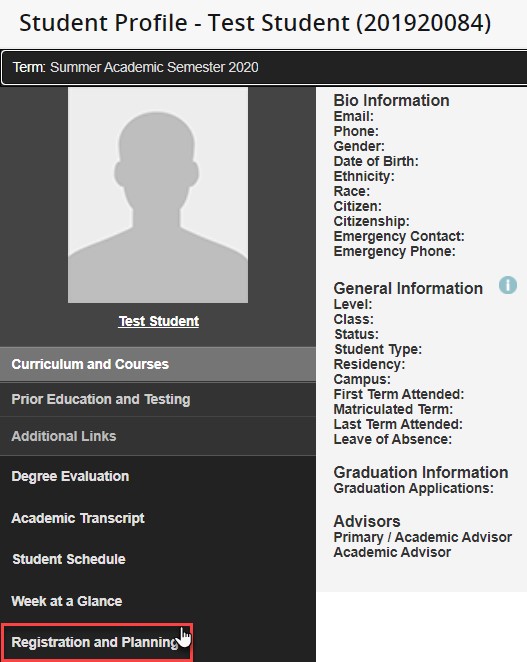
- On the student profile, click on Registration and Planning, which is located on the left side of the screen, as illustrated below. Once you click the button, a new page will open.
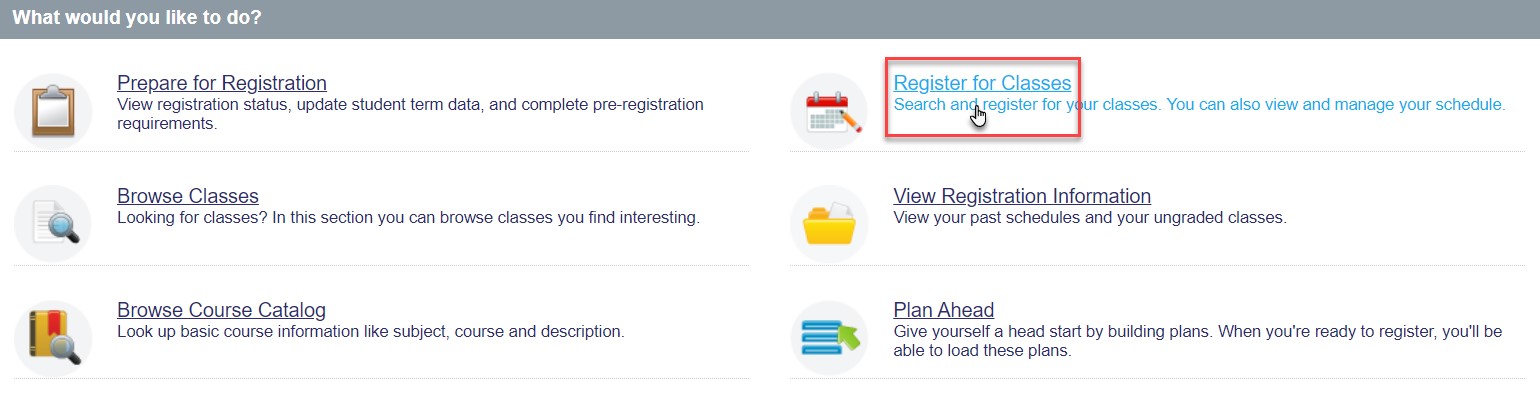
- Click on Register for Classes.
- Choose the role as Faculty or Faculty and Advisor, and click on OK.
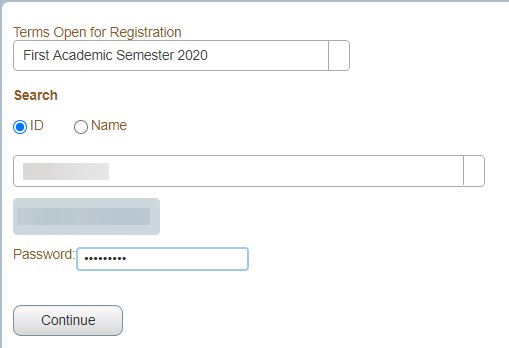
- Choose the term, enter the student ID twice, in the ID field and in the password field, then click on Continue.
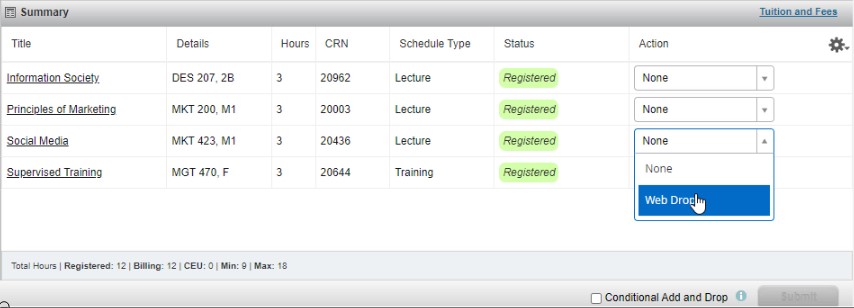
- In the Summary section, you will be able to view all registered courses. Choose the courses you would like to drop and from the Action column, choose Web drop for each course you would like to drop and the click on Submit.
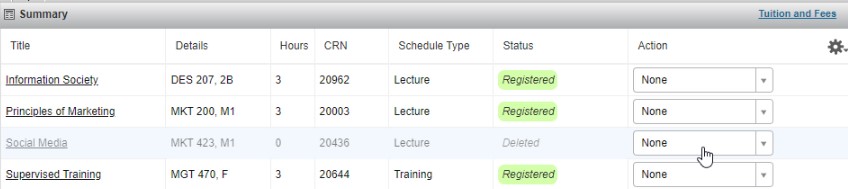
 Once you drop the courses, you will be able to view them in the Summary section as illustrated below:
Note:
- If there are 9 credit hours registered and you would like to drop a course, you must add another course and then drop the other one. Noting that the minimum credit hours to be registered is 9 for the Fall and Spring terms and 0 credit hours for the Summer term.
- If you would like to drop all your courses in the Fall or Spring terms for any reason, kindly contact the Office of Admission and Registration.
Was this article helpful?
Related articles
Class Registration for Academic Advisors
Original source: https://it.ajman.ac.ae/docs/advisor-drop-courses