


Standard Assignment Comments
By Khadija AhmedPublished 25 Aug 2024Updated 12 Aug 20251 min read
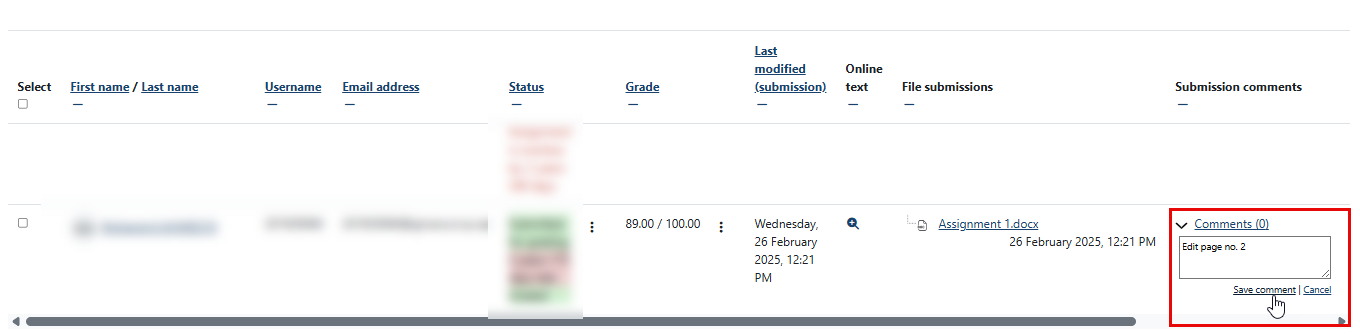
After students submit their assignments, you can add comments to the assignments one by one and each student will be able to view the specific comment that is dedicated to them.
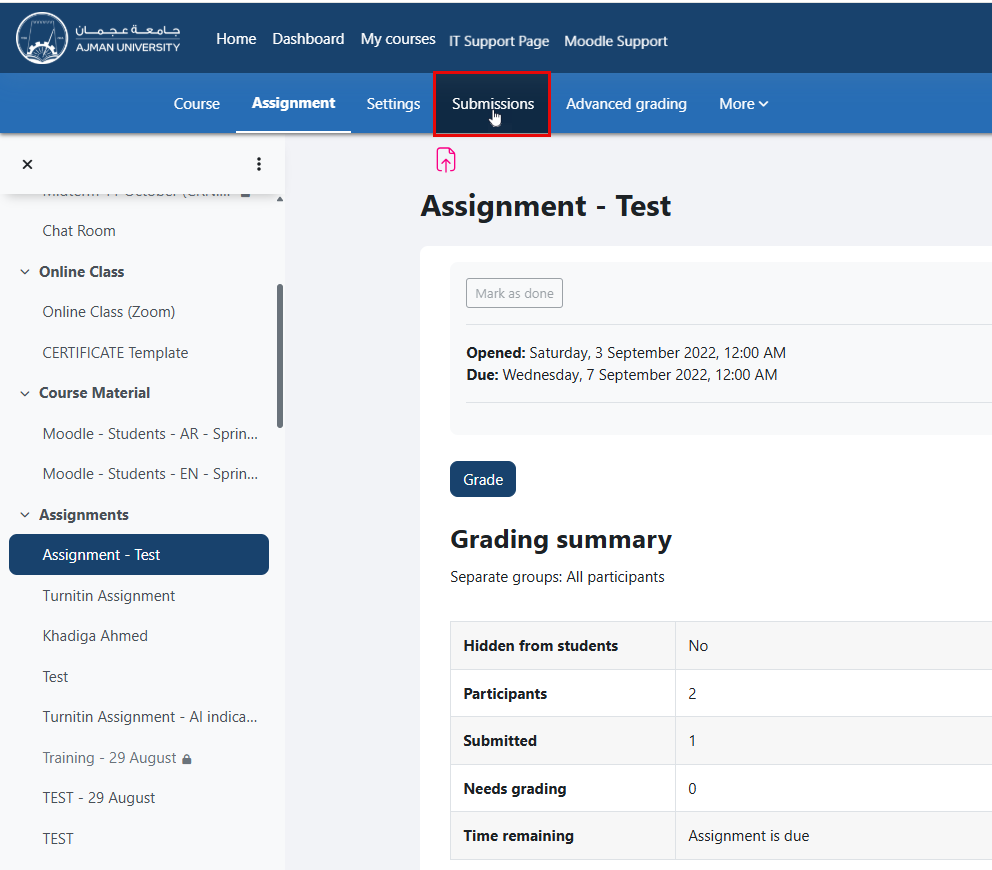
To add comments to students’ standard assignments, follow these steps:
Was this article helpful?
Related articles
Communication Methods
Original source: https://it.ajman.ac.ae/docs/standard-assignment-comments-1