

Education Allowance Request
To submit a request for an education allowance, follow the steps below:
-
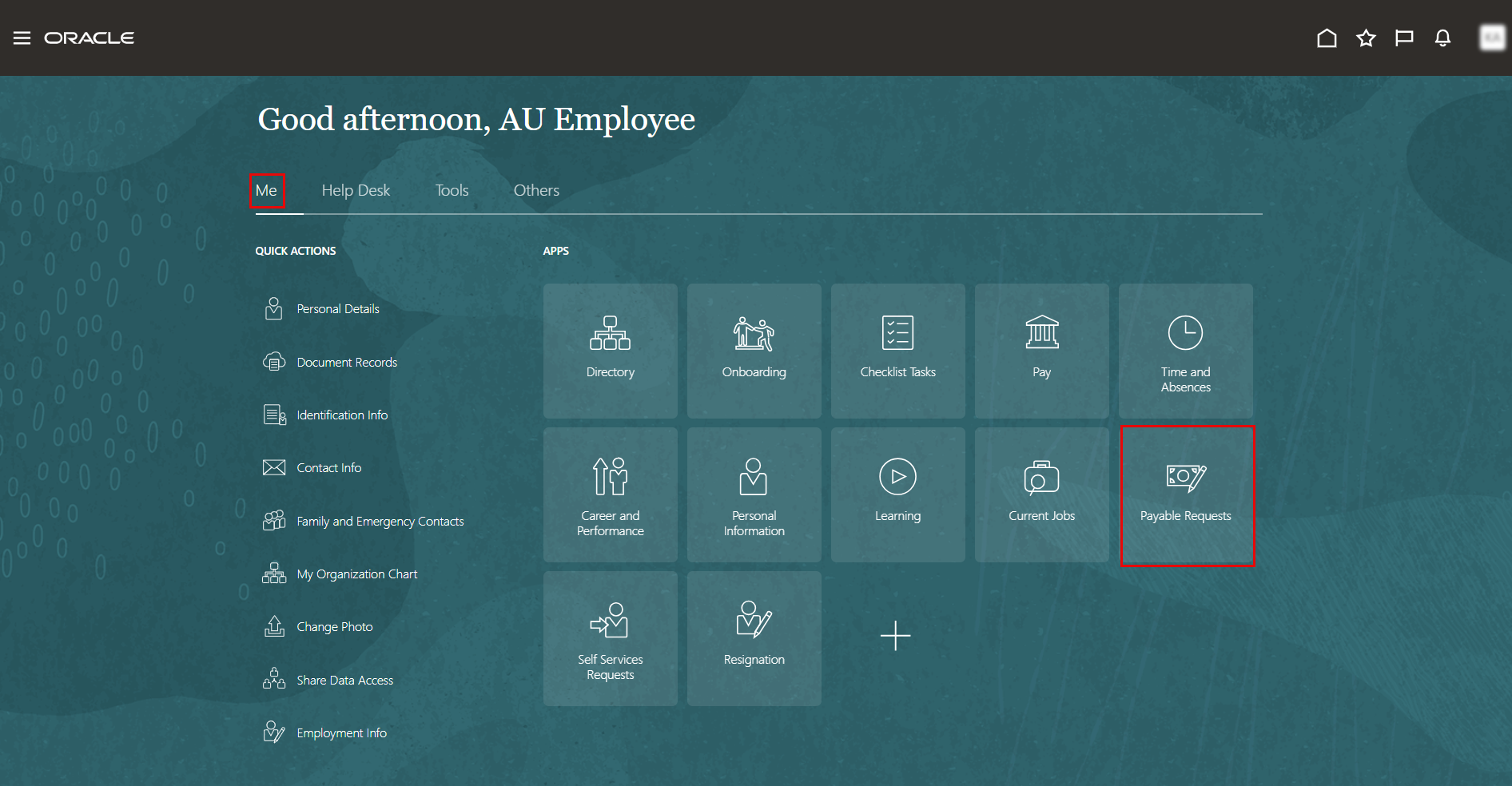
On the Home page, click on "Payable Request.".
-
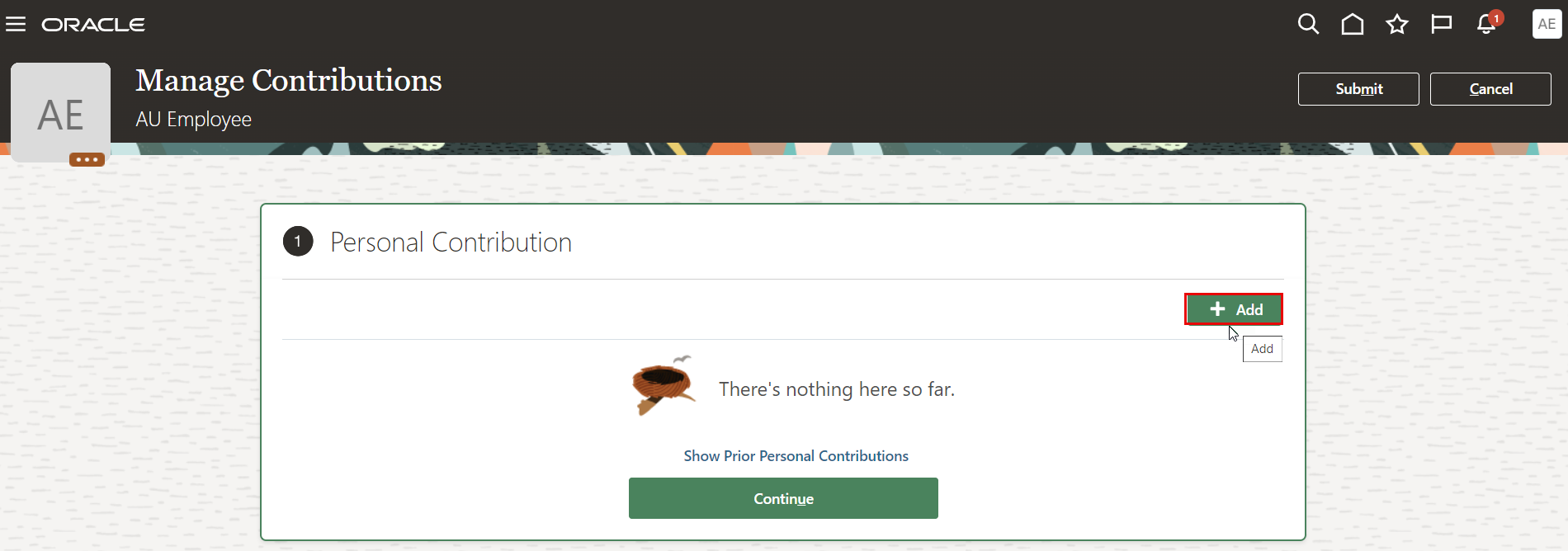
On the Personal Contribution page, click the "Add".
-
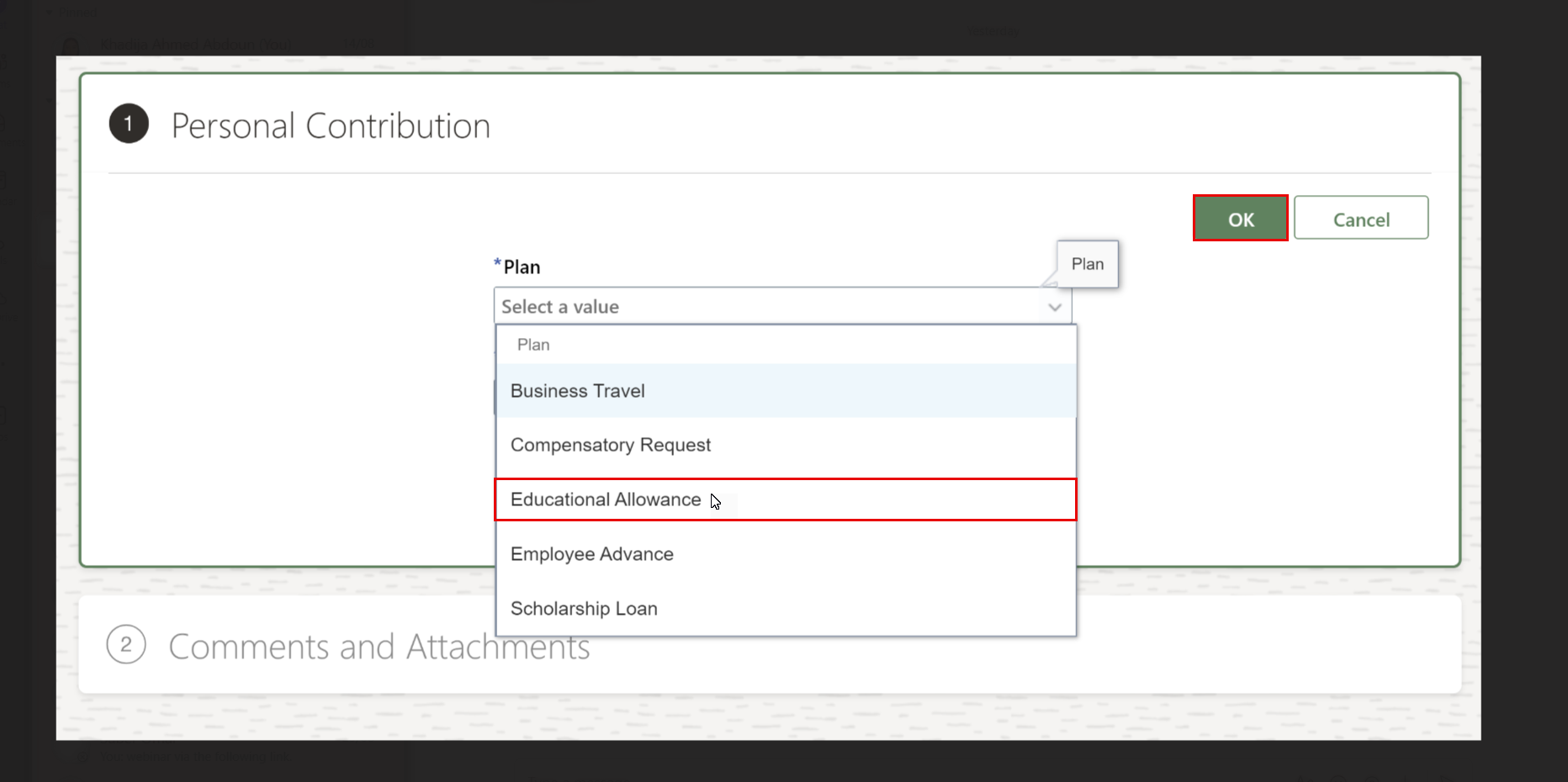
Select the personal Contribution type from the list; in this article, we'll submit a request for education allowance.
Note:
- Before submitting a request, ensure your children are added as family members. If their information was previously entered in the old system, it will also be available in the Oracle system.
- If the children names do not appear when creating the request, please contact the HR office to verify their eligibility and enroll them accordingly.
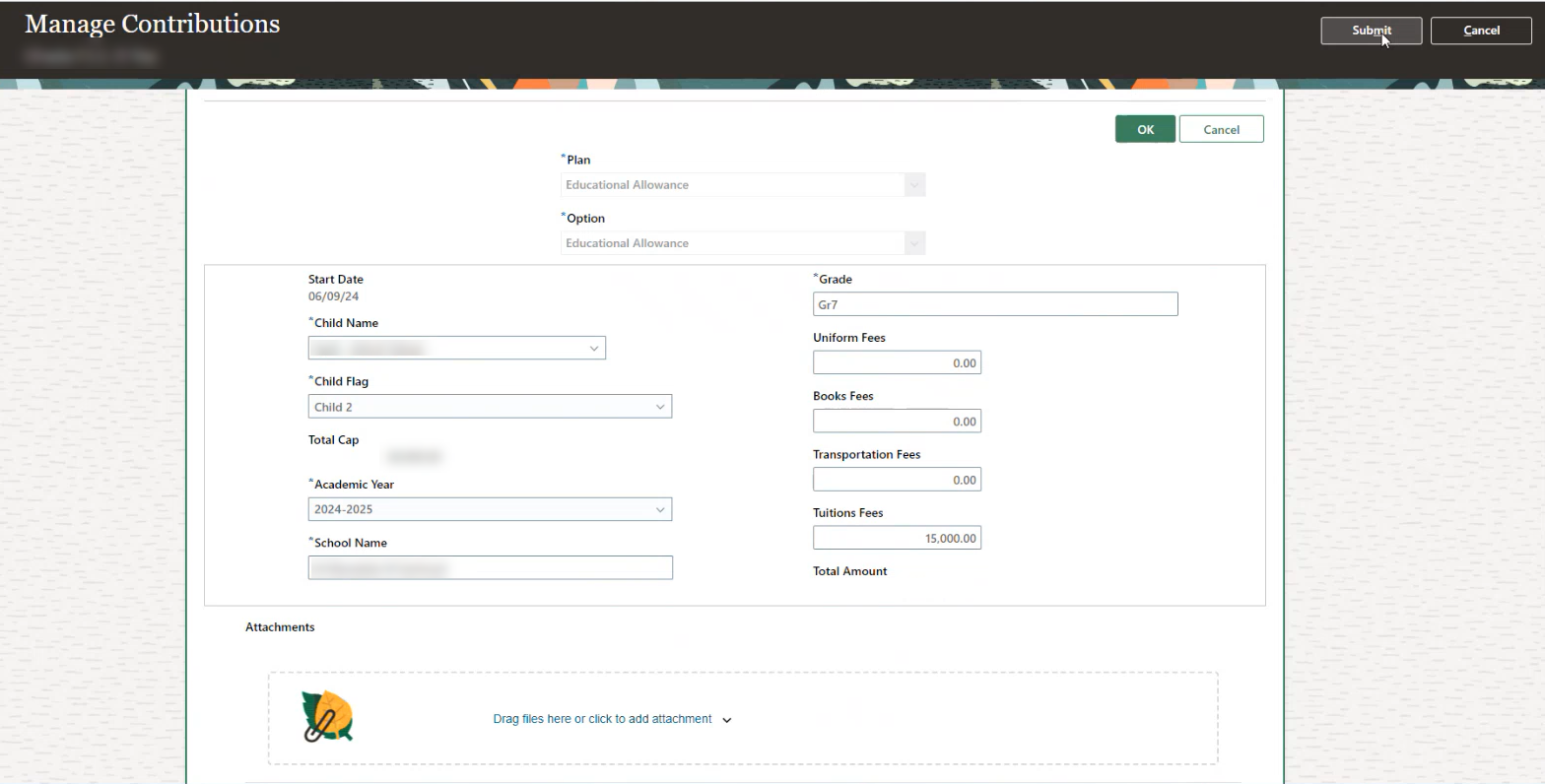
- Complete the required information.
Note:
-
Choose the Child Flag according to the allowance amount cap, with Child 1 representing the highest allowance cap, followed by Child 2 and Child 3. For example:
Child 1: 15,000 AED
Child 2: 10,000 AED
Child 3: 10,000 AED -
The uniform fee is capped at 1,000 AED.
- Click on Submit.

Note:
To view and track the progress of your request, refer to this user manual: Notifications and Approvals
Was this article helpful?
Related articles
Payable Request
Original source: https://it.ajman.ac.ae/docs/education-allowance