


4. Choose Your Preferred MFA Method
By Khadija AhmedPublished 4 Nov 2026Updated 4 Nov 20261 min read
To choose the default verification method for your AU email address, please follow the steps below:
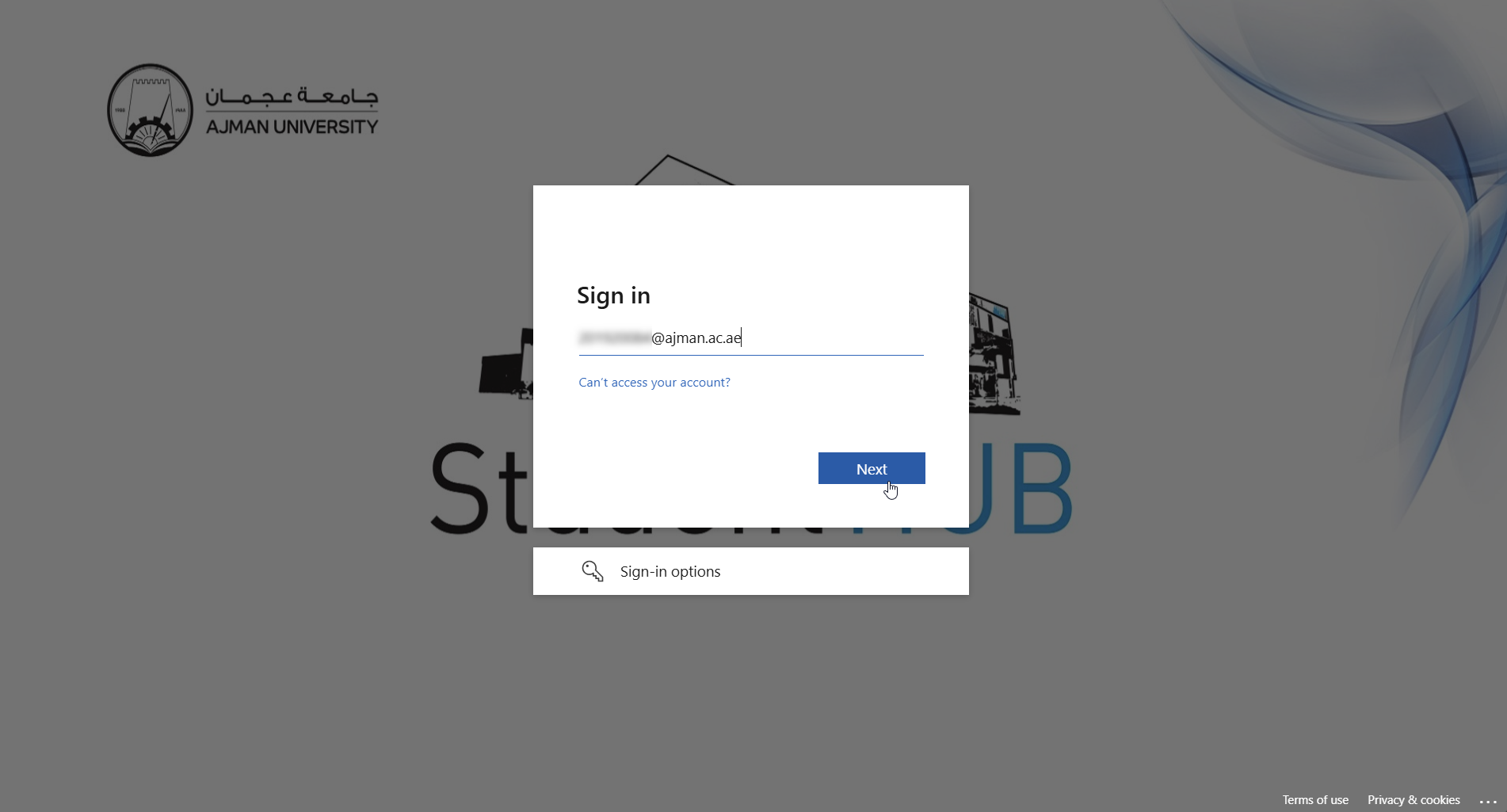
- Go to the Outlook webpage and sign in to your AU email address, then click Next
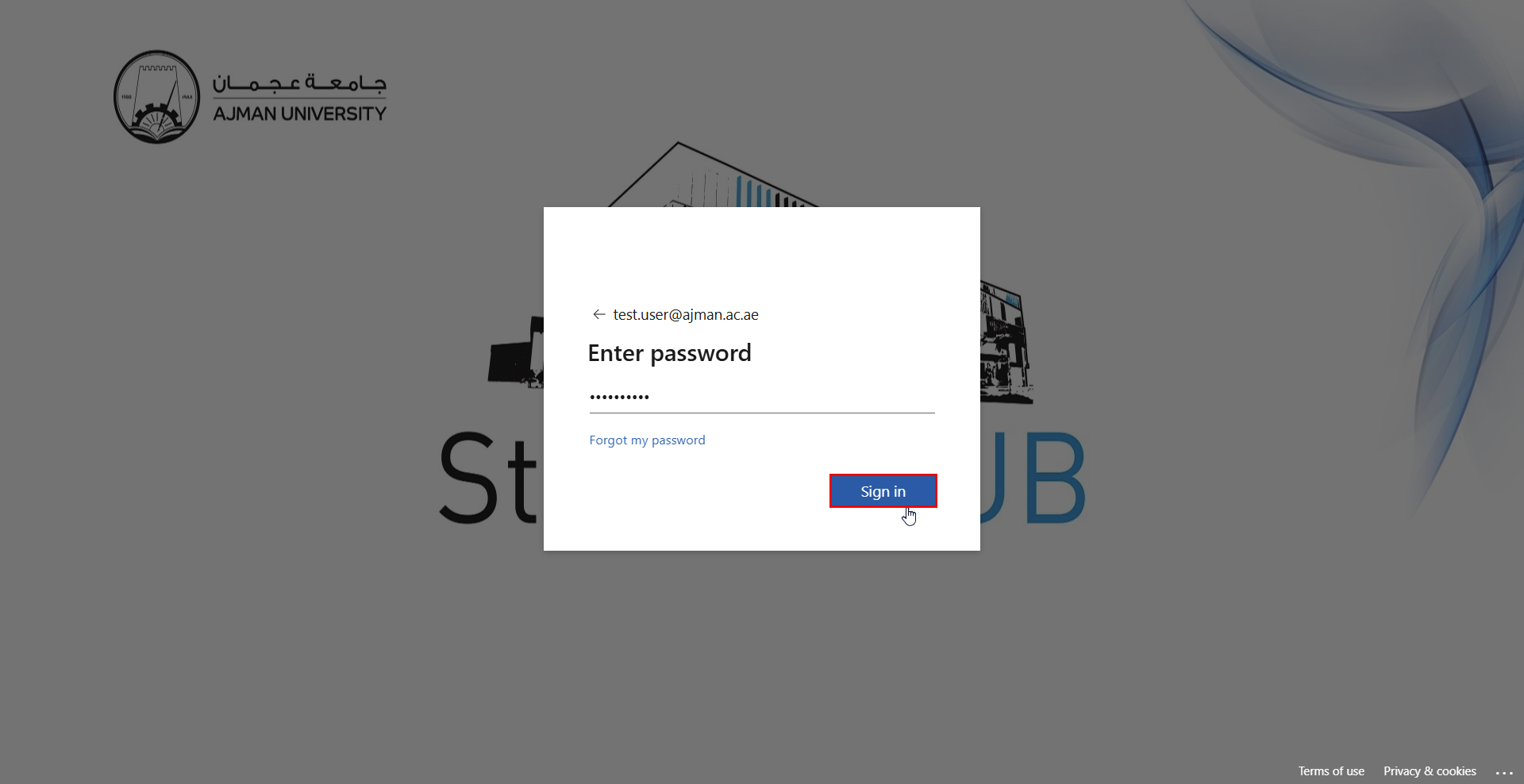
- Enter your password, then click Sign in.
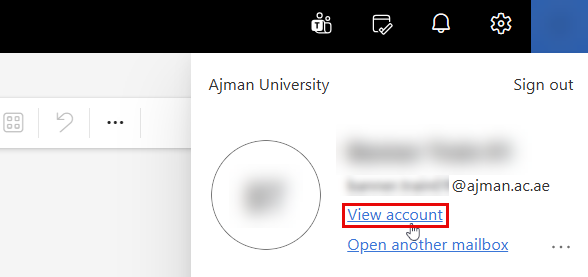
- After you log in to Outlook, click on your profile, then on View account.
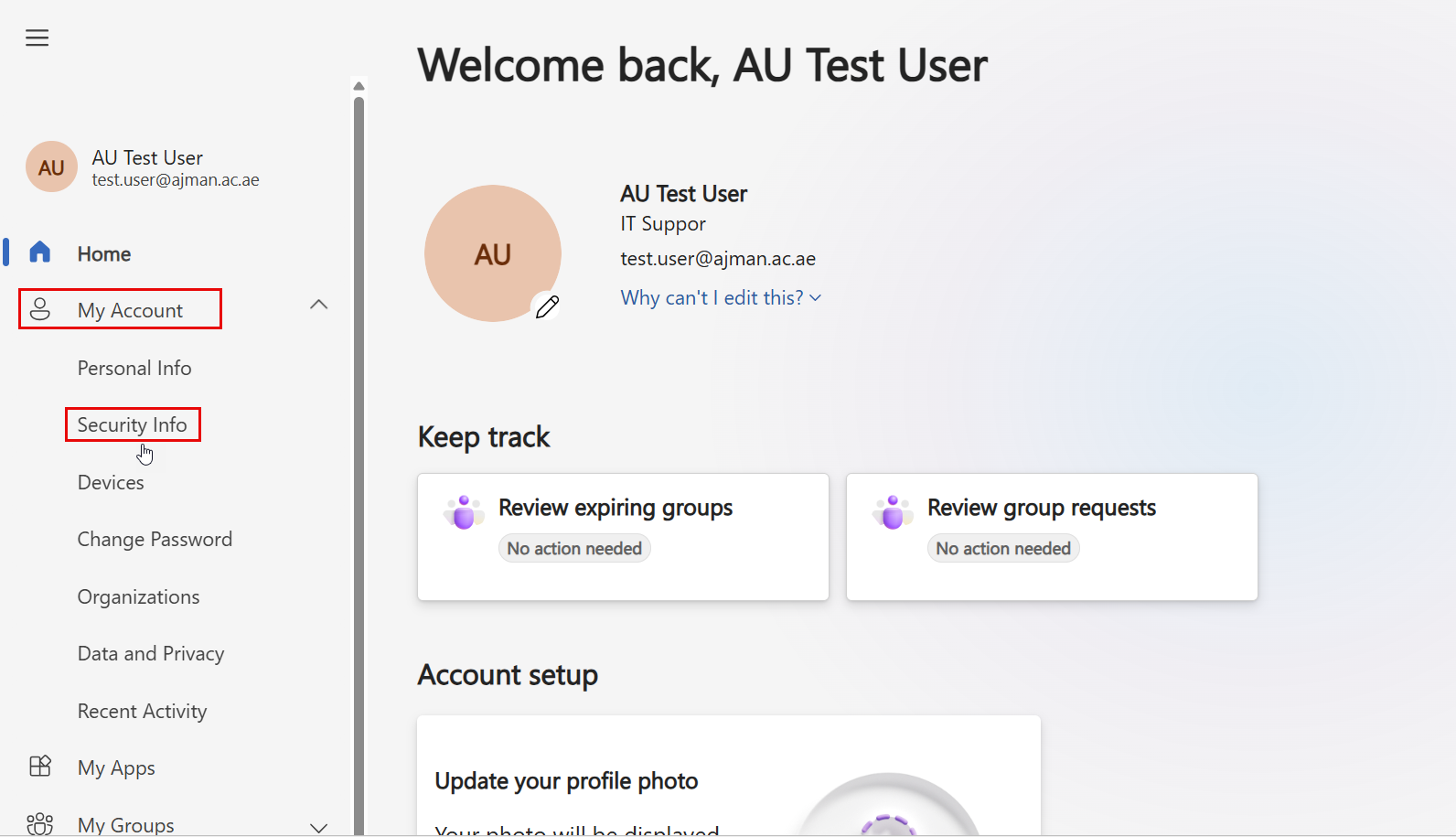
- Click Security info under the My account section, or you can use this link.
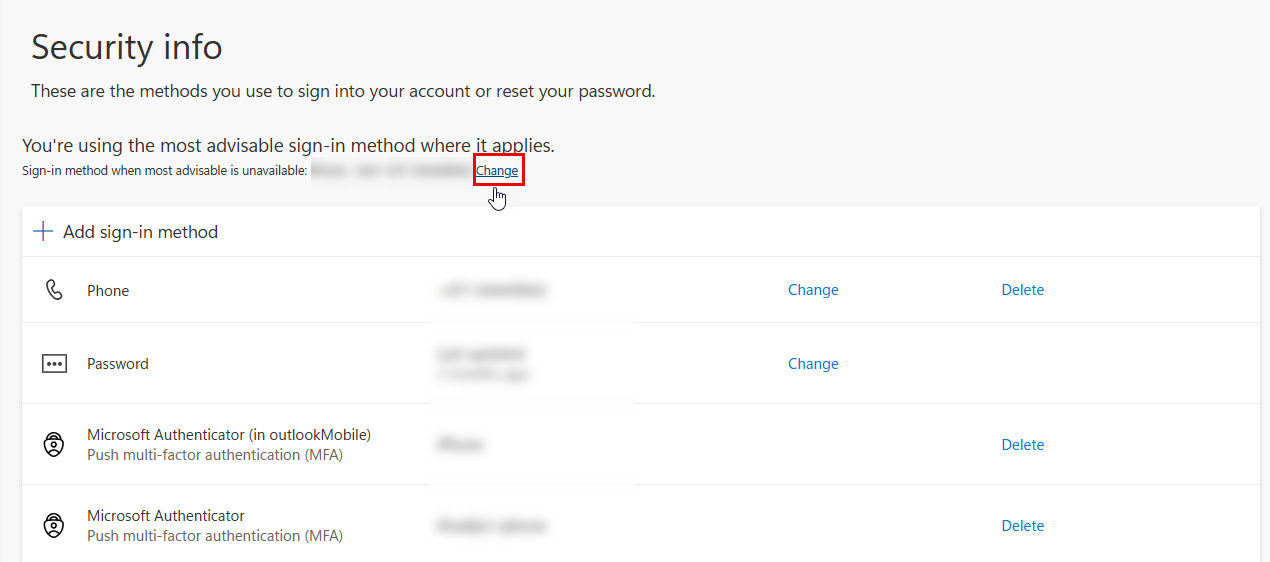
- Click on Change. Choose the default method.
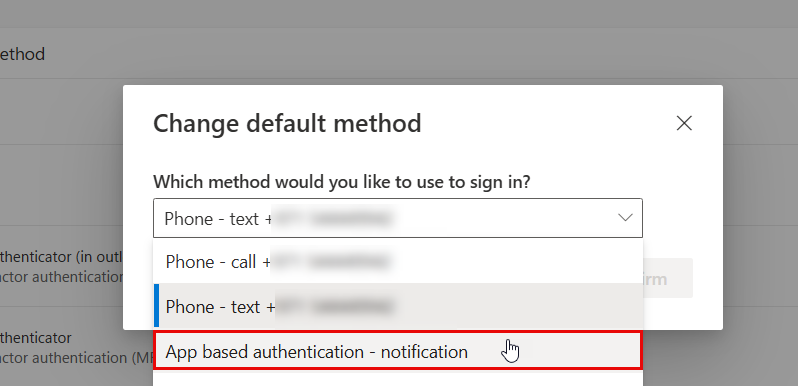
- Select App basesd authentication - notification.
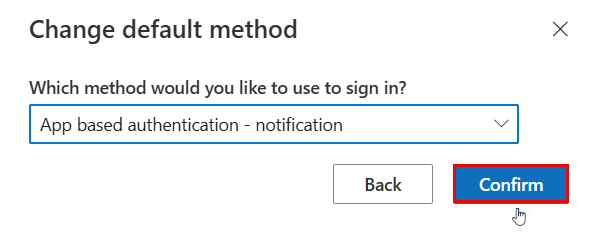
- Click on Confirm.
Was this article helpful?
Related articles
Multi-factor Authenticator (MFA)
Original source: https://it.ajman.ac.ae/docs/choose-your-prefered-mfa-method-1