

Add Component to Favorites
By Khadija AhmedPublished 28 Aug 2023Updated 28 Aug 20231 min read
To make it easier to access the component that you will use frequently, follow these steps to mark it as a favorite:
-
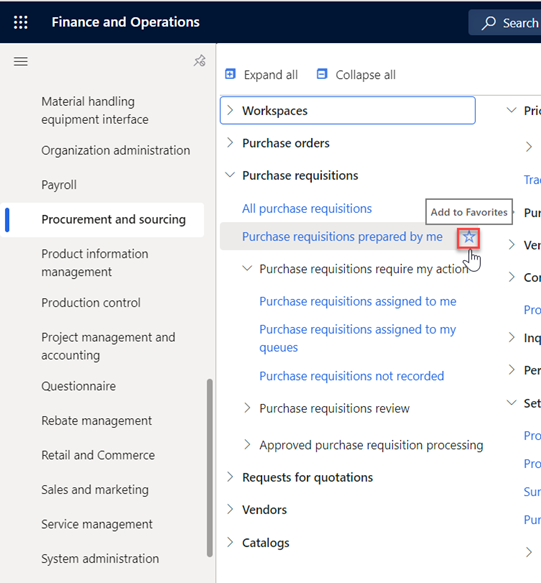
Navigate to the component you wish to ad to favorites, then click on the “Star” icon next to the component name.
-
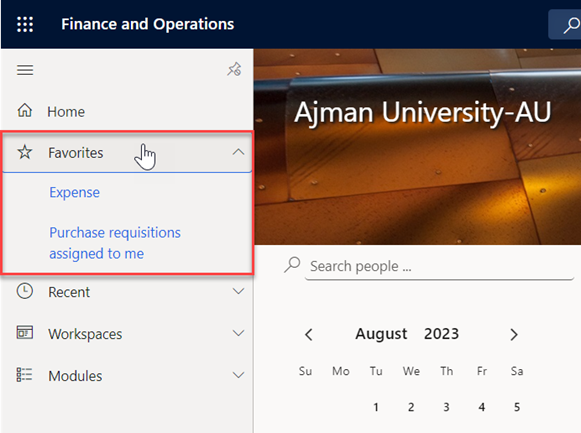
The component will be immediately marked as Favorite, and you will be able to find all the favorite components in the “Favorites” section.
Was this article helpful?
Related articles
Requester Process
Original source: https://it.ajman.ac.ae/docs/adding-component-to-favorites