

Absence Balance
By Khadija AhmedPublished 8 Sept 2024Updated 6 Sept 20241 min read
Review current plan balances and absences taken or requested, by following these steps:
-
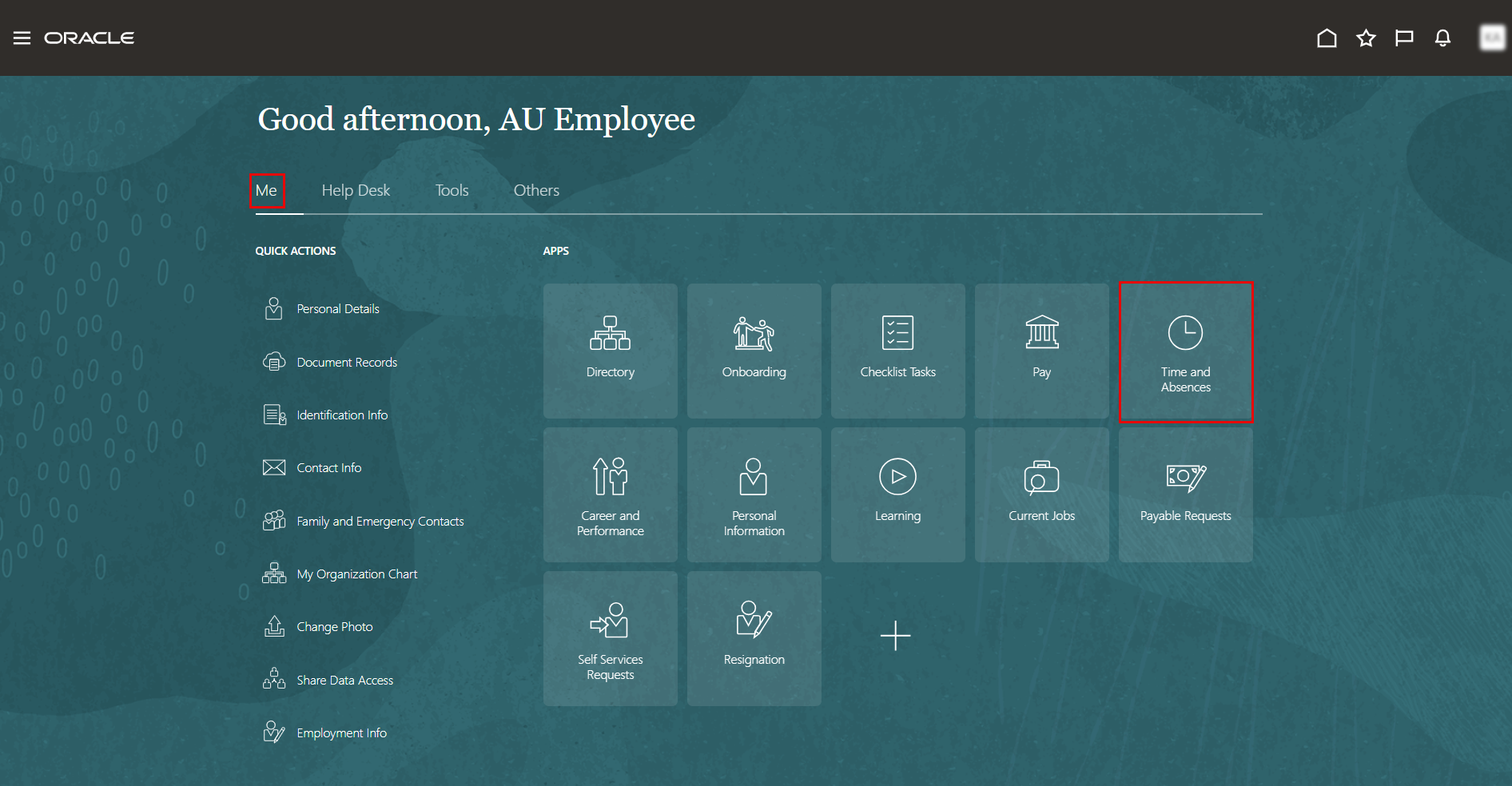
On the Home page, click on "Time and Absences".
-
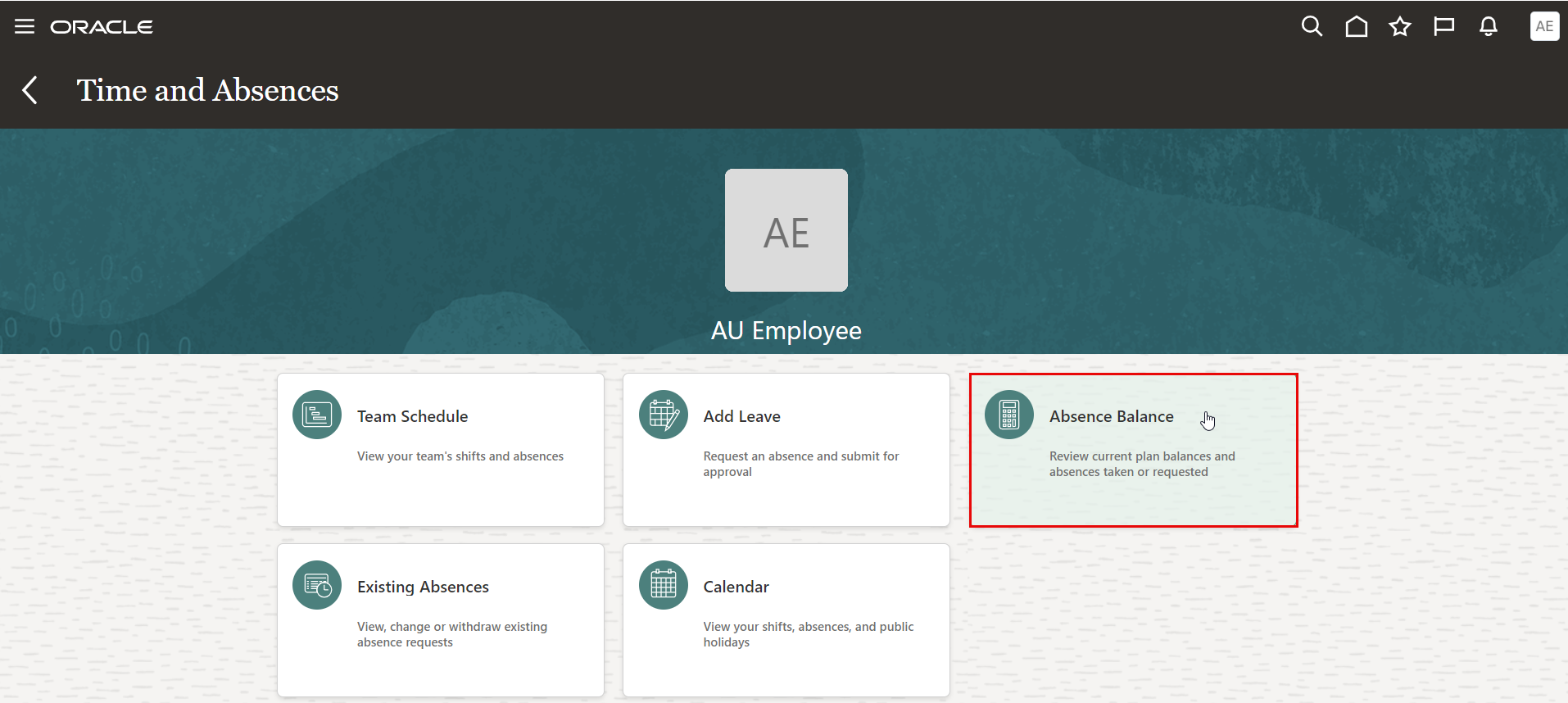
On the Time and Absences page, click the "Absence Balance" tab.
-
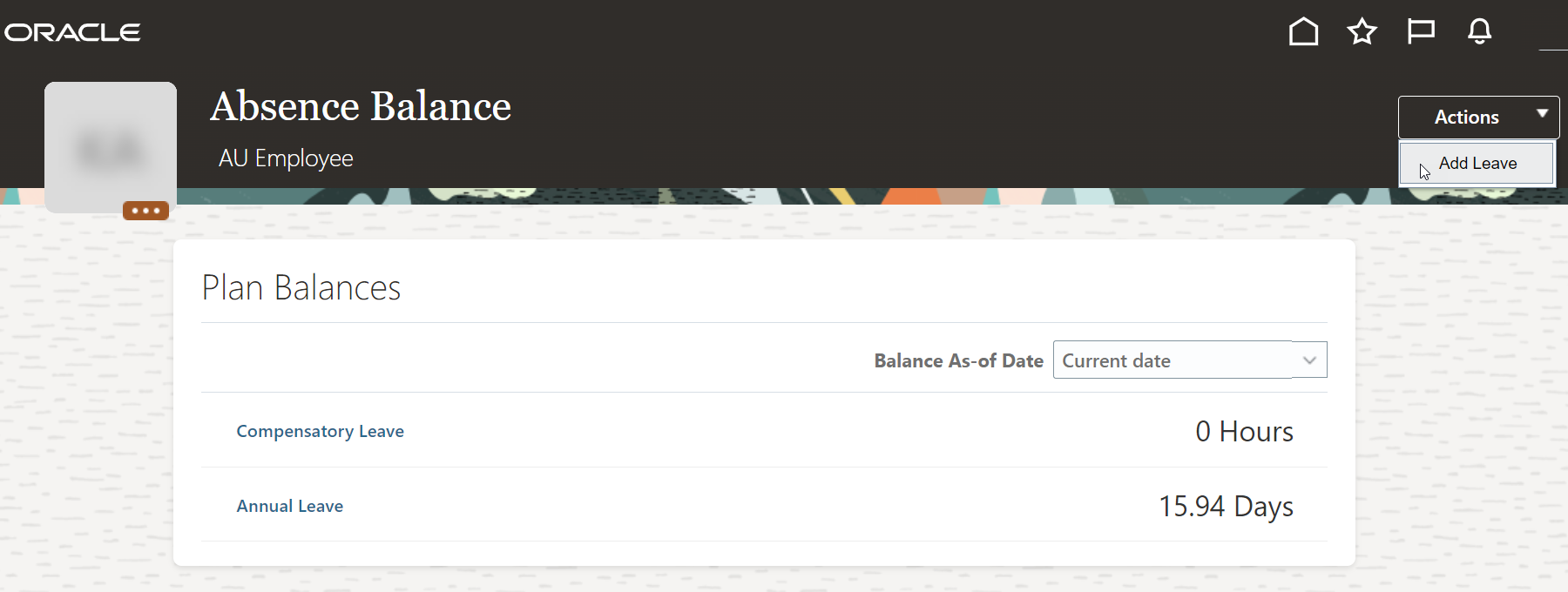
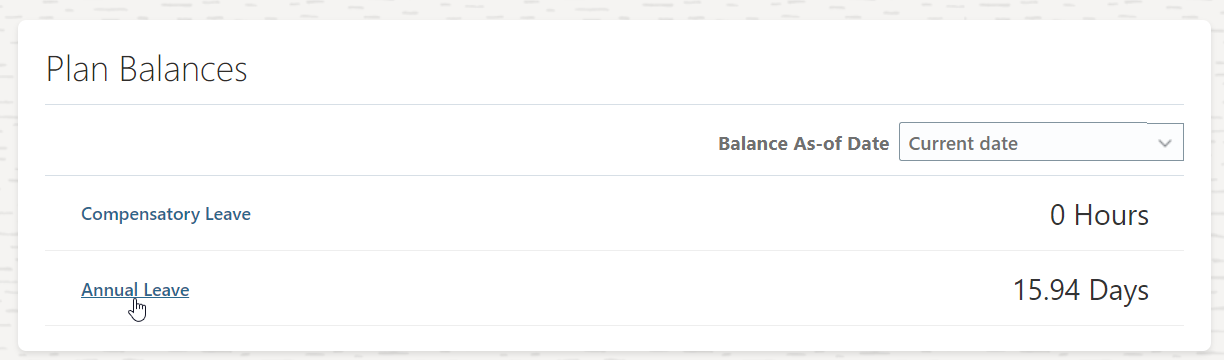
You can view both your annual leave and compensatory leave balances.
Note:
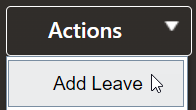
You can submit a new leave request by Clicking on "Add Leave" in the Actions drop-down menu.
-
To view the details of your leave balance, click on "Annual Leave" or "Compensatory Leave".
-
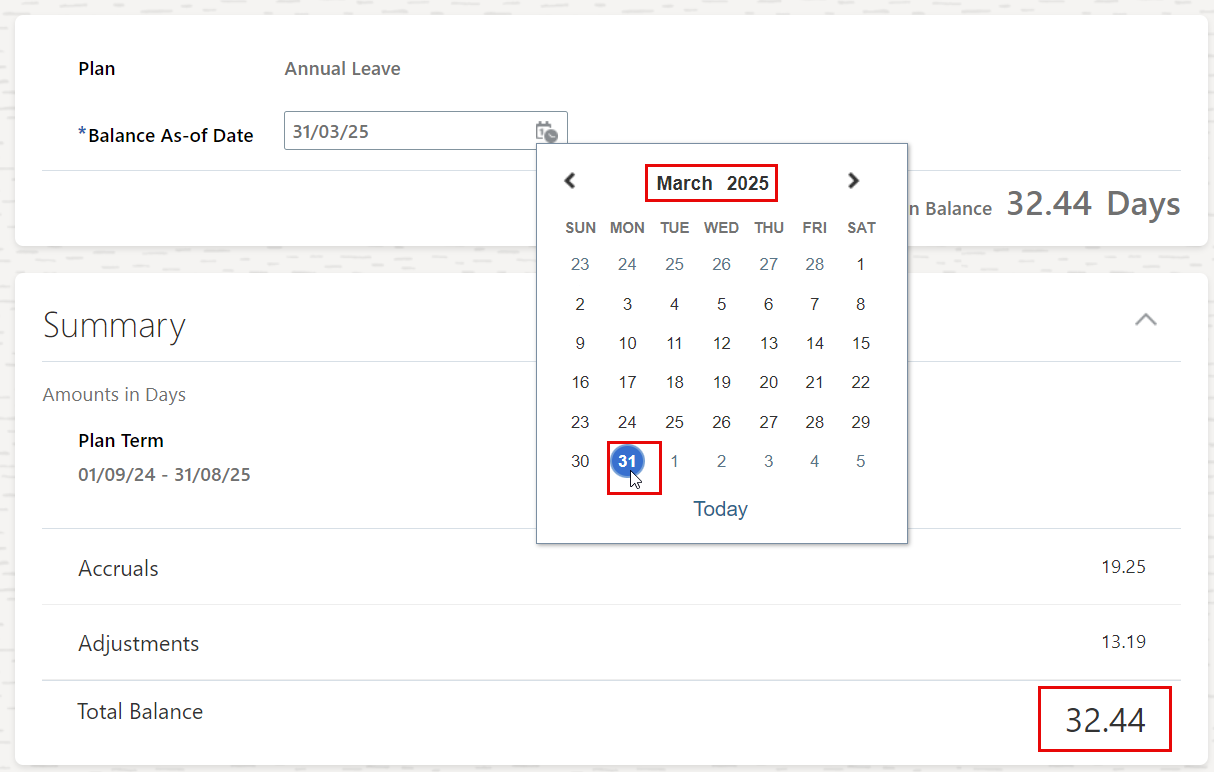
You have the option to view your leave balance in any specific month in the future, and the system will calculate the projected balance based on your current data.
Was this article helpful?
Related articles
Time and Absences
Original source: https://it.ajman.ac.ae/docs/absence-balance